• Pl chevron_right

      ProcessOne: Fluux Messenger 0.14.0 - Full Room Control & Richer Contact Profiles

      news.movim.eu / PlanetJabber β€’ 20 March 2026 β€’ 3 minutes β€’ 3 visibility

    Fluux Messenger 0.14.0 - Full Room Control & Richer Contact Profiles

    Fluux Messenger 0.14.0 is a major release. Fluux Messenger is growing fast. Thank you to everyone contributing, testing, and spreading the word!

    This release finally brings room management. Moderators can retract messages, owners can manage rooms end-to-end, contacts have real profiles now, and the fix list is longer than usual. A lot landed in this release.

    What&aposs New

    Full MUC Room Management

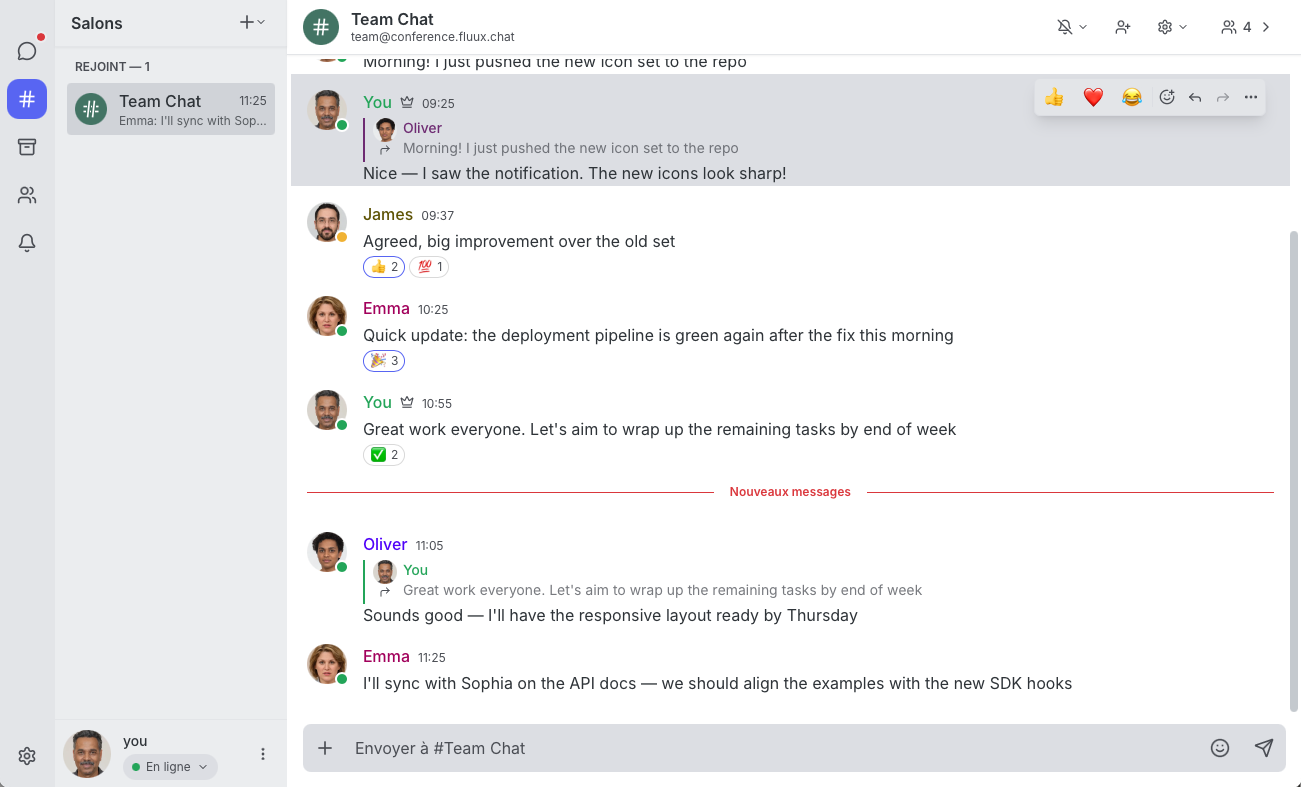
    Fluux Messenger now supports the complete room lifecycle directly from the client. You can create, configure, and destroy MUC rooms without reaching for an admin console. Room owners also get full user management tools: change affiliations and roles, kick or ban occupants, and browse room directories with proper RSM pagination. A new modal lets you join any room directly by entering its JID.

    This makes Fluux Messenger a serious option for teams self-hosting their own ejabberd server and managing communities day-to-day.
    Fluux Messenger 0.14.0 - Full Room Control & Richer Contact Profiles

    Message Moderation (XEP-0425)

    Moderators can now retract messages posted by other users in MUC rooms, with full attribution and reason display. This is a meaningful step toward responsible community management inside open, sovereign messaging infrastructure β€” no proprietary platform required.

    MUC Hat Management (XEP-0317)

    Room owners can now define, assign, and remove hats for occupants via ad-hoc commands. Hats are a lightweight, expressive way to convey roles and status in a room beyond the standard affiliation model. The full hat management UI is accessible directly from the room interface.

    Rich Contact Profiles with vCard (XEP-0054)

    Contact information just got a lot more useful. Fluux Messenger now displays vCard data β€” full name, organisation, email, and country β€” in contact popovers and profile views. You can also edit your own vCard directly from profile settings, adding, updating, or removing fields as needed. No more opaque JIDs; your contacts now have a face and a name.

    Per-Room Ignored Users (XEP-0223)

    You can now ignore specific users on a per-room basis , with ignore lists stored server-side via Personal Eventing Protocol (XEP-0223). Filtering has been improved to cross-match JIDs and occupant IDs, and notifications from ignored users (including quoted replies) are now properly suppressed.

    Contact Management from the Room

    A new contact management dropdown in the occupant sidebar and a dedicated contact addition button in the profile screen make it easy to manage your contact list without leaving the conversation. Right-clicking (or long-pressing) a nickname in room messages now brings up an occupant context menu with quick actions.

    Quality of Life

    • Entity Time (XEP-0202) β€” see your contact&aposs local time in the chat header and contact popover, handy for distributed teams.
    • Message delivery errors are now displayed inline, with the option to retry sending directly.
    • Do Not Disturb mode now suppresses sound and desktop notifications automatically.
    • Font size setting added to appearance preferences.
    • Avatar lightbox β€” click an avatar in message view to see it full-size.
    • PEP-based conversation list sync (ConversationSync module) keeps your sidebar consistent across sessions.
    • External links now open in a Tauri webview popup instead of jumping to the system browser.
    • Full-screen occupant panel on small screens for a better mobile experience.

    Bug Fixes & Reliability

    This release addresses a significant number of issues:

    • Active rooms now correctly move to the top of the sidebar on new messages
    • Missing room messages after reconnect or app restart
    • Blank window in MUC rooms caused by a stale ResizeObserver
    • Reactions UI properly enabled in rooms with stable occupant identity
    • Native window theme now syncs correctly with system mode in Tauri
    • Modals no longer close when click-dragging from inside to outside
    • Fixed: owner showing as moderator in the chat view
    • Navigation stack management improved for mobile

    Get Fluux Messenger

    Download for Windows , macOS , or Linux on the latest Release page.

    Source code is available at : GitHub


    Your messages, your infrastructure: no vendor lock-in.
    Sovereign by design. Built in Europe, for everyone.
    • Pl chevron_right

      ProcessOne: Fluux Messenger 0.14.0 - Full Room Control & Richer Contact Profiles

      news.movim.eu / PlanetJabber β€’ 20 March 2026 β€’ 3 minutes β€’ 3 visibility

    Fluux Messenger 0.14.0 - Full Room Control & Richer Contact Profiles

    Fluux Messenger 0.14.0 is a major release. Fluux Messenger is growing fast. Thank you to everyone contributing, testing, and spreading the word!

    This release finally brings room management. Moderators can retract messages, owners can manage rooms end-to-end, contacts have real profiles now, and the fix list is longer than usual. A lot landed in this release.

    What&aposs New

    Full MUC Room Management

    Fluux Messenger now supports the complete room lifecycle directly from the client. You can create, configure, and destroy MUC rooms without reaching for an admin console. Room owners also get full user management tools: change affiliations and roles, kick or ban occupants, and browse room directories with proper RSM pagination. A new modal lets you join any room directly by entering its JID.

    This makes Fluux Messenger a serious option for teams self-hosting their own ejabberd server and managing communities day-to-day.

    Fluux Messenger 0.14.0 - Full Room Control & Richer Contact Profiles

    Message Moderation (XEP-0425)

    Moderators can now retract messages posted by other users in MUC rooms, with full attribution and reason display. This is a meaningful step toward responsible community management inside open, sovereign messaging infrastructure β€” no proprietary platform required.

    MUC Hat Management (XEP-0317)

    Room owners can now define, assign, and remove hats for occupants via ad-hoc commands. Hats are a lightweight, expressive way to convey roles and status in a room beyond the standard affiliation model. The full hat management UI is accessible directly from the room interface.

    Rich Contact Profiles with vCard (XEP-0054)

    Contact information just got a lot more useful. Fluux Messenger now displays vCard data β€” full name, organisation, email, and country β€” in contact popovers and profile views. You can also edit your own vCard directly from profile settings, adding, updating, or removing fields as needed. No more opaque JIDs; your contacts now have a face and a name.

    Per-Room Ignored Users (XEP-0223)

    You can now ignore specific users on a per-room basis , with ignore lists stored server-side via Personal Eventing Protocol (XEP-0223). Filtering has been improved to cross-match JIDs and occupant IDs, and notifications from ignored users (including quoted replies) are now properly suppressed.

    Contact Management from the Room

    A new contact management dropdown in the occupant sidebar and a dedicated contact addition button in the profile screen make it easy to manage your contact list without leaving the conversation. Right-clicking (or long-pressing) a nickname in room messages now brings up an occupant context menu with quick actions.

    Quality of Life

    • Entity Time (XEP-0202) β€” see your contact&aposs local time in the chat header and contact popover, handy for distributed teams.
    • Message delivery errors are now displayed inline, with the option to retry sending directly.
    • Do Not Disturb mode now suppresses sound and desktop notifications automatically.
    • Font size setting added to appearance preferences.
    • Avatar lightbox β€” click an avatar in message view to see it full-size.
    • PEP-based conversation list sync (ConversationSync module) keeps your sidebar consistent across sessions.
    • External links now open in a Tauri webview popup instead of jumping to the system browser.
    • Full-screen occupant panel on small screens for a better mobile experience.

    Bug Fixes & Reliability

    This release addresses a significant number of issues:

    • Active rooms now correctly move to the top of the sidebar on new messages
    • Missing room messages after reconnect or app restart
    • Blank window in MUC rooms caused by a stale ResizeObserver
    • Reactions UI properly enabled in rooms with stable occupant identity
    • Native window theme now syncs correctly with system mode in Tauri
    • Modals no longer close when click-dragging from inside to outside
    • Fixed: owner showing as moderator in the chat view
    • Navigation stack management improved for mobile

    Get Fluux Messenger

    Download for Windows , macOS , or Linux on the latest Release page.

    Source code is available at : GitHub


    Your messages, your infrastructure: no vendor lock-in.
    Sovereign by design. Built in Europe, for everyone.

    • Pl chevron_right

      ProcessOne: Fluux Messenger 0.14.0 - Full Room Control & Richer Contact Profiles

      news.movim.eu / PlanetJabber β€’ 20 March 2026 β€’ 3 minutes β€’ 3 visibility

    Fluux Messenger 0.14.0 - Full Room Control & Richer Contact Profiles

    Fluux Messenger 0.14.0 is a major release. Fluux Messenger is growing fast. Thank you to everyone contributing, testing, and spreading the word!

    This release finally brings room management. Moderators can retract messages, owners can manage rooms end-to-end, contacts have real profiles now, and the fix list is longer than usual. A lot landed in this release.

    What&aposs New

    Full MUC Room Management

    Fluux Messenger now supports the complete room lifecycle directly from the client. You can create, configure, and destroy MUC rooms without reaching for an admin console. Room owners also get full user management tools: change affiliations and roles, kick or ban occupants, and browse room directories with proper RSM pagination. A new modal lets you join any room directly by entering its JID.

    This makes Fluux Messenger a serious option for teams self-hosting their own ejabberd server and managing communities day-to-day.

    Fluux Messenger 0.14.0 - Full Room Control & Richer Contact Profiles

    Message Moderation (XEP-0425)

    Moderators can now retract messages posted by other users in MUC rooms, with full attribution and reason display. This is a meaningful step toward responsible community management inside open, sovereign messaging infrastructure β€” no proprietary platform required.

    MUC Hat Management (XEP-0317)

    Room owners can now define, assign, and remove hats for occupants via ad-hoc commands. Hats are a lightweight, expressive way to convey roles and status in a room beyond the standard affiliation model. The full hat management UI is accessible directly from the room interface.

    Rich Contact Profiles with vCard (XEP-0054)

    Contact information just got a lot more useful. Fluux Messenger now displays vCard data β€” full name, organisation, email, and country β€” in contact popovers and profile views. You can also edit your own vCard directly from profile settings, adding, updating, or removing fields as needed. No more opaque JIDs; your contacts now have a face and a name.

    Per-Room Ignored Users (XEP-0223)

    You can now ignore specific users on a per-room basis , with ignore lists stored server-side via Personal Eventing Protocol (XEP-0223). Filtering has been improved to cross-match JIDs and occupant IDs, and notifications from ignored users (including quoted replies) are now properly suppressed.

    Contact Management from the Room

    A new contact management dropdown in the occupant sidebar and a dedicated contact addition button in the profile screen make it easy to manage your contact list without leaving the conversation. Right-clicking (or long-pressing) a nickname in room messages now brings up an occupant context menu with quick actions.

    Quality of Life

    • Entity Time (XEP-0202) β€” see your contact&aposs local time in the chat header and contact popover, handy for distributed teams.
    • Message delivery errors are now displayed inline, with the option to retry sending directly.
    • Do Not Disturb mode now suppresses sound and desktop notifications automatically.
    • Font size setting added to appearance preferences.
    • Avatar lightbox β€” click an avatar in message view to see it full-size.
    • PEP-based conversation list sync (ConversationSync module) keeps your sidebar consistent across sessions.
    • External links now open in a Tauri webview popup instead of jumping to the system browser.
    • Full-screen occupant panel on small screens for a better mobile experience.

    Bug Fixes & Reliability

    This release addresses a significant number of issues:

    • Active rooms now correctly move to the top of the sidebar on new messages
    • Missing room messages after reconnect or app restart
    • Blank window in MUC rooms caused by a stale ResizeObserver
    • Reactions UI properly enabled in rooms with stable occupant identity
    • Native window theme now syncs correctly with system mode in Tauri
    • Modals no longer close when click-dragging from inside to outside
    • Fixed: owner showing as moderator in the chat view
    • Navigation stack management improved for mobile

    Get Fluux Messenger

    Download for Windows , macOS , or Linux on the latest Release page.

    Source code is available at : GitHub


    Your messages, your infrastructure: no vendor lock-in.
    Sovereign by design. Built in Europe, for everyone.

    • Pl chevron_right

      ProcessOne: Fluux Messenger 0.13.0 - Native TCP Connection & Complete EU Language Coverage

      news.movim.eu / PlanetJabber β€’ 12 February 2026 β€’ 2 minutes

    Fluux Messenger 0.13.0 - Native TCP Connection & Complete EU Language Coverage

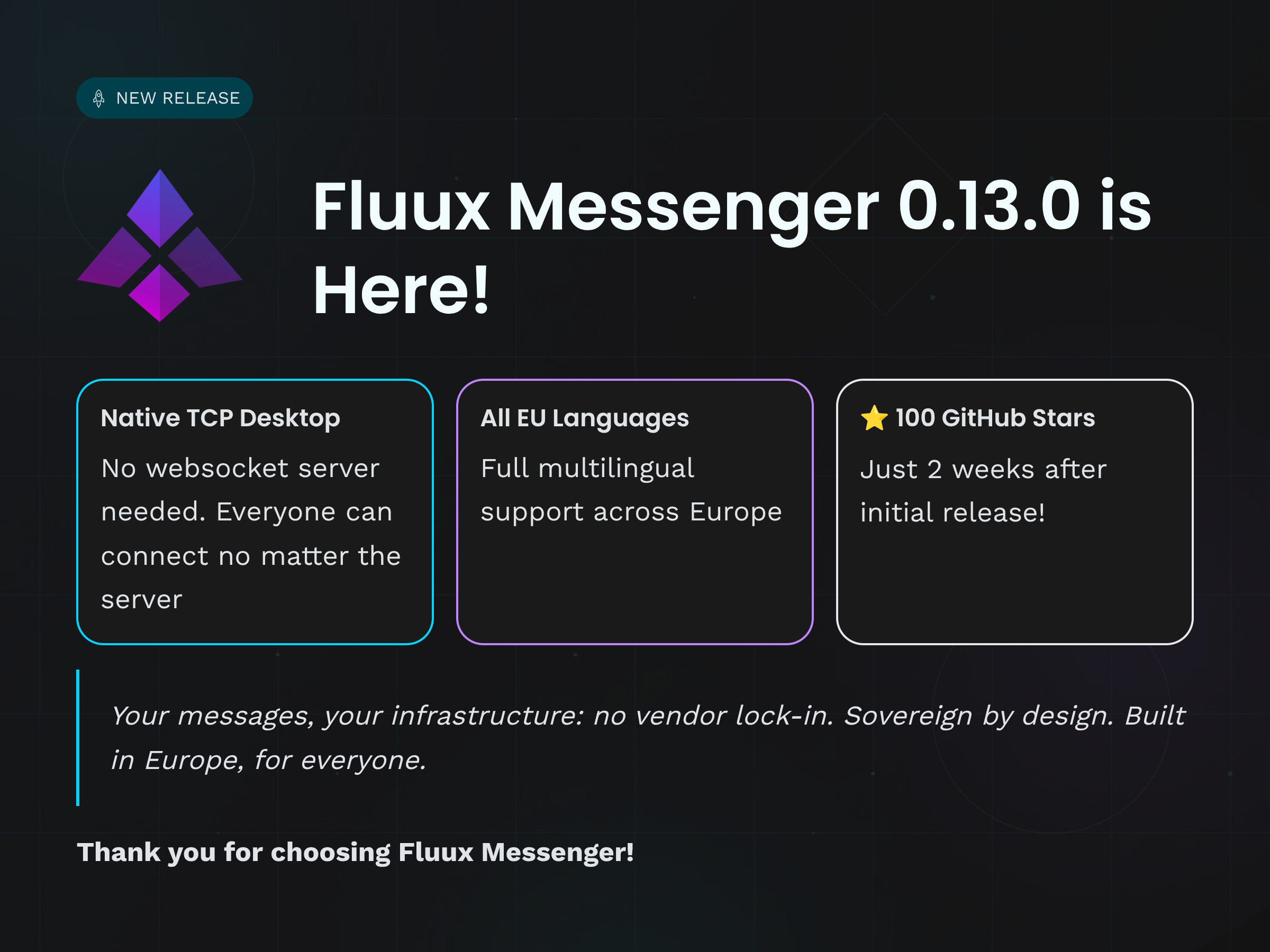
    We&aposre excited to announce Fluux Messenger 0.13.0, featuring native TCP connections, complete European language coverage, and significant performance improvements.

    Also, we recently passed the first 100 stars on GitHub. Thank you for your support and for believing in open, sovereign messaging !

    Fluux Messenger 0.13.0 - Native TCP Connection & Complete EU Language Coverage

    What&aposs New

    Native TCP Connection Support on Desktop

    Desktop users can now connect directly to XMPP servers via native TCP through our WebSocket proxy implementation. This means lower latency, better reliability, and native protocol handling. No more browser limitations.

    We believe that&aposs a nice milestone worth a blog post . Until now, desktop users needed their XMPP server to support WebSocket connections. With v0.13.0, you can connect to any standard XMPP server. We estimate this will enable 80% of users who couldn&apost connect before to finally use Fluux Messenger with their existing servers.

    Complete European Union Language Coverage

    Fluux Messenger now supports all 26 EU languages, making it truly pan-European. From Bulgarian to Swedish, Croatian to Maltese, we&aposve got you covered. Languages include:

    • Bulgarian, Croatian, Czech, Danish, Dutch, English, Estonian, Finnish, French, German, Greek, Hungarian, Icelandic, Irish, Italian, Latvian, Lithuanian, Maltese, Norwegian, Polish, Portuguese, Romanian, Slovak, Slovenian, Spanish, Swedish.

    Dynamic locale loading means faster initial startup while maintaining comprehensive language support.

    If you spot any translation issues, feel free to contribute on our GitHub repository .

    Clipboard Image Paste

    Paste images directly from your clipboard with Cmd+V (macOS) or Ctrl+V (Windows/Linux). Copy from anywhere, paste into Fluux. It (should) just work ;). Tested and confirmed with Safari&aposs "Copy Image" feature and system clipboard operations so far.

    Clear Local Data on Logout

    New privacy option to completely clear local data when logging out. Perfect for shared devices or when you need a fresh start.

    Performance & Reliability Improvements

    • Smarter Message History Loading - We&aposve completely redesigned our Message Archive Management (MAM) strategy. Message history now loads intelligently based on your scrolling behavior and available data, reducing unnecessary server requests.

    • Better Resource Management - Fixed duplicate avatar fetches when hashes haven&apost changed, reducing bandwidth usage and improving profile picture loading times.

    • Rock-Solid Scroll Behavior - Media loading no longer disrupts your scroll position. The scroll-to-bottom feature now works reliably, even when images and files are loading.

    • Better Windows Tray - Improved tray behavior on Windows for a more native experience.

    macOS Sleep Recovery - Fixed layout corruption that could occur after your Mac woke from sleep.

    UI & UX Polish

    • Consistent attachment styling across light and dark themes
    • Fixed sidebar switching with Cmd+U keyboard shortcut
    • Improved new message markers - position correctly maintained when switching conversations
    • Better context menus - always stay within viewport bounds, no more cut-off menus
    • Markdown preview accuracy - bold and strikethrough now properly shown in message previews

    Linux Packaging

    Improved Linux packaging using native distribution tools for better integration with your system package manager.

    Developer Experience

    Centralized notification state with viewport observer provides better performance and more reliable notification handling across the application.


    Get Fluux Messenger

    Download for Windows , macOS , or Linux in the latest Release page.

    Source code is available at : GitHub


    Your messages, your infrastructure : no vendor lock-in.
    Sovereign by design. Built in Europe, for everyone.

    • Pl chevron_right

      ProcessOne: Fluux Messenger 0.13.0 - Native TCP Connection & Complete EU Language Coverage

      news.movim.eu / PlanetJabber β€’ 12 February 2026 β€’ 2 minutes

    Fluux Messenger 0.13.0 - Native TCP Connection & Complete EU Language Coverage

    We&aposre excited to announce Fluux Messenger 0.13.0, featuring native TCP connections, complete European language coverage, and significant performance improvements.

    Also, we recently passed the first 100 stars on GitHub. Thank you for your support and for believing in open, sovereign messaging !

    Fluux Messenger 0.13.0 - Native TCP Connection & Complete EU Language Coverage

    What&aposs New

    Native TCP Connection Support on Desktop

    Desktop users can now connect directly to XMPP servers via native TCP through our WebSocket proxy implementation. This means lower latency, better reliability, and native protocol handling. No more browser limitations.

    We believe that&aposs a nice milestone worth a blog post . Until now, desktop users needed their XMPP server to support WebSocket connections. With v0.13.0, you can connect to any standard XMPP server. We estimate this will enable 80% of users who couldn&apost connect before to finally use Fluux Messenger with their existing servers.

    Complete European Union Language Coverage

    Fluux Messenger now supports all 26 EU languages, making it truly pan-European. From Bulgarian to Swedish, Croatian to Maltese, we&aposve got you covered. Languages include:

    • Bulgarian, Croatian, Czech, Danish, Dutch, English, Estonian, Finnish, French, German, Greek, Hungarian, Icelandic, Irish, Italian, Latvian, Lithuanian, Maltese, Norwegian, Polish, Portuguese, Romanian, Slovak, Slovenian, Spanish, Swedish.

    Dynamic locale loading means faster initial startup while maintaining comprehensive language support.

    If you spot any translation issues, feel free to contribute on our GitHub repository .

    Clipboard Image Paste

    Paste images directly from your clipboard with Cmd+V (macOS) or Ctrl+V (Windows/Linux). Copy from anywhere, paste into Fluux. It (should) just work ;). Tested and confirmed with Safari&aposs "Copy Image" feature and system clipboard operations so far.

    Clear Local Data on Logout

    New privacy option to completely clear local data when logging out. Perfect for shared devices or when you need a fresh start.

    Performance & Reliability Improvements

    • Smarter Message History Loading - We&aposve completely redesigned our Message Archive Management (MAM) strategy. Message history now loads intelligently based on your scrolling behavior and available data, reducing unnecessary server requests.

    • Better Resource Management - Fixed duplicate avatar fetches when hashes haven&apost changed, reducing bandwidth usage and improving profile picture loading times.

    • Rock-Solid Scroll Behavior - Media loading no longer disrupts your scroll position. The scroll-to-bottom feature now works reliably, even when images and files are loading.

    • Better Windows Tray - Improved tray behavior on Windows for a more native experience.

    macOS Sleep Recovery - Fixed layout corruption that could occur after your Mac woke from sleep.

    UI & UX Polish

    • Consistent attachment styling across light and dark themes
    • Fixed sidebar switching with Cmd+U keyboard shortcut
    • Improved new message markers - position correctly maintained when switching conversations
    • Better context menus - always stay within viewport bounds, no more cut-off menus
    • Markdown preview accuracy - bold and strikethrough now properly shown in message previews

    Linux Packaging

    Improved Linux packaging using native distribution tools for better integration with your system package manager.

    Developer Experience

    Centralized notification state with viewport observer provides better performance and more reliable notification handling across the application.


    Get Fluux Messenger

    Download for Windows , macOS , or Linux in the latest Release page.

    Source code is available at : GitHub


    Your messages, your infrastructure : no vendor lock-in.
    Sovereign by design. Built in Europe, for everyone.

    • Pl chevron_right

      ProcessOne: Fluux Messenger 0.13.0 - Native TCP Connection & Complete EU Language Coverage

      news.movim.eu / PlanetJabber β€’ 12 February 2026 β€’ 2 minutes

    Fluux Messenger 0.13.0 - Native TCP Connection & Complete EU Language Coverage

    We&aposre excited to announce Fluux Messenger 0.13.0, featuring native TCP connections, complete European language coverage, and significant performance improvements.

    Also, we recently passed the first 100 stars on GitHub. Thank you for your support and for believing in open, sovereign messaging !

    Fluux Messenger 0.13.0 - Native TCP Connection & Complete EU Language Coverage

    What&aposs New

    Native TCP Connection Support on Desktop

    Desktop users can now connect directly to XMPP servers via native TCP through our WebSocket proxy implementation. This means lower latency, better reliability, and native protocol handling. No more browser limitations.

    We believe that&aposs a nice milestone worth a blog post . Until now, desktop users needed their XMPP server to support WebSocket connections. With v0.13.0, you can connect to any standard XMPP server. We estimate this will enable 80% of users who couldn&apost connect before to finally use Fluux Messenger with their existing servers.

    Complete European Union Language Coverage

    Fluux Messenger now supports all 26 EU languages, making it truly pan-European. From Bulgarian to Swedish, Croatian to Maltese, we&aposve got you covered. Languages include:

    • Bulgarian, Croatian, Czech, Danish, Dutch, English, Estonian, Finnish, French, German, Greek, Hungarian, Icelandic, Irish, Italian, Latvian, Lithuanian, Maltese, Norwegian, Polish, Portuguese, Romanian, Slovak, Slovenian, Spanish, Swedish.

    Dynamic locale loading means faster initial startup while maintaining comprehensive language support.

    If you spot any translation issues, feel free to contribute on our GitHub repository .

    Clipboard Image Paste

    Paste images directly from your clipboard with Cmd+V (macOS) or Ctrl+V (Windows/Linux). Copy from anywhere, paste into Fluux. It (should) just work ;). Tested and confirmed with Safari&aposs "Copy Image" feature and system clipboard operations so far.

    Clear Local Data on Logout

    New privacy option to completely clear local data when logging out. Perfect for shared devices or when you need a fresh start.

    Performance & Reliability Improvements

    • Smarter Message History Loading - We&aposve completely redesigned our Message Archive Management (MAM) strategy. Message history now loads intelligently based on your scrolling behavior and available data, reducing unnecessary server requests.

    • Better Resource Management - Fixed duplicate avatar fetches when hashes haven&apost changed, reducing bandwidth usage and improving profile picture loading times.

    • Rock-Solid Scroll Behavior - Media loading no longer disrupts your scroll position. The scroll-to-bottom feature now works reliably, even when images and files are loading.

    • Better Windows Tray - Improved tray behavior on Windows for a more native experience.

    macOS Sleep Recovery - Fixed layout corruption that could occur after your Mac woke from sleep.

    UI & UX Polish

    • Consistent attachment styling across light and dark themes
    • Fixed sidebar switching with Cmd+U keyboard shortcut
    • Improved new message markers - position correctly maintained when switching conversations
    • Better context menus - always stay within viewport bounds, no more cut-off menus
    • Markdown preview accuracy - bold and strikethrough now properly shown in message previews

    Linux Packaging

    Improved Linux packaging using native distribution tools for better integration with your system package manager.

    Developer Experience

    Centralized notification state with viewport observer provides better performance and more reliable notification handling across the application.


    Get Fluux Messenger

    Download for Windows , macOS , or Linux in the latest Release page.

    Source code is available at : GitHub


    Your messages, your infrastructure : no vendor lock-in.
    Sovereign by design. Built in Europe, for everyone.

    • Pl chevron_right

      ProcessOne: rocket ejabberd 26.02

      news.movim.eu / PlanetJabber β€’ 11 February 2026 β€’ 2 minutes

    πŸš€ ejabberd 26.02

    Contents:

    ChangeLog

    • Fixes issue with adding hats data in presences send by group chats ( #4516 )
    • Removes mod_muc_occupantid modules, and integrates its functionality directly into mod_muc ( #4521 )
    • Fixes issue with reset occupant-id values after restart of ejabberd ( #4521 )
    • Improves handling of mediated group chat invitations in mod_block_stranger ( #4523 )
    • Properly install mod_invites templates in make install call ( #4514 )
    • Better errors in mod_invites ( #4515 )
    • Accessibility improvements in mod_invites ( #4524 )
    • Improves handling of request with invalid url encoded values in request handled by ejabberd_http
    • Improves handling of invalid responses to disco queries in mod_pubsub_serverinfo
    • Fixes conversion of MUC room configs from ejabberd older than 21.12
    • Fixes to autologin in WebAdmin

    If you are upgrading from a previous version, there are no changes in SQL schemas, configuration, API commands or hooks.

    Notice that mod_muc now incorporates the feature from mod_muc_occupantid , and that module has been removed. You can remove mod_muc_occupantid in your configuration file as it is unnecessary now, and ejabberd simply ignores it.

    Check also the commit log: https://github.com/processone/ejabberd/compare/26.01...26.02

    Acknowledgments

    We would like to thank the contributions to the source code and translations provided by:

    And also to all the people contributing in the ejabberd chatroom, issue tracker...

    Improvements in ejabberd Business Edition

    Customers of the ejabberd Business Edition , in addition to all those improvements and bugfixes, also get the following change:

    • Change default_ram_db from mnesia to p1db when using p1db cluster_backend

    ejabberd 26.02 download & feedback

    As usual, the release is tagged in the Git source code repository on GitHub .

    The source package and installers are available in ejabberd Downloads page. To check the *.asc signature files, see How to verify ProcessOne downloads integrity .

    For convenience, there are alternative download locations like the ejabberd DEB/RPM Packages Repository and the GitHub Release / Tags .

    The ecs container image is available in docker.io/ejabberd/ecs and ghcr.io/processone/ecs . The alternative ejabberd container image is available in ghcr.io/processone/ejabberd .

    If you consider that you&aposve found a bug, please search or fill a bug report on GitHub Issues .

    • Pl chevron_right

      ProcessOne: rocket ejabberd 26.02

      news.movim.eu / PlanetJabber β€’ 11 February 2026 β€’ 2 minutes

    πŸš€ ejabberd 26.02

    Contents:

    ChangeLog

    • Fixes issue with adding hats data in presences send by group chats ( #4516 )
    • Removes mod_muc_occupantid modules, and integrates its functionality directly into mod_muc ( #4521 )
    • Fixes issue with reset occupant-id values after restart of ejabberd ( #4521 )
    • Improves handling of mediated group chat invitations in mod_block_stranger ( #4523 )
    • Properly install mod_invites templates in make install call ( #4514 )
    • Better errors in mod_invites ( #4515 )
    • Accessibility improvements in mod_invites ( #4524 )
    • Improves handling of request with invalid url encoded values in request handled by ejabberd_http
    • Improves handling of invalid responses to disco queries in mod_pubsub_serverinfo
    • Fixes conversion of MUC room configs from ejabberd older than 21.12
    • Fixes to autologin in WebAdmin

    If you are upgrading from a previous version, there are no changes in SQL schemas, configuration, API commands or hooks.

    Notice that mod_muc now incorporates the feature from mod_muc_occupantid , and that module has been removed. You can remove mod_muc_occupantid in your configuration file as it is unnecessary now, and ejabberd simply ignores it.

    Check also the commit log: https://github.com/processone/ejabberd/compare/26.01...26.02

    Acknowledgments

    We would like to thank the contributions to the source code and translations provided by:

    And also to all the people contributing in the ejabberd chatroom, issue tracker...

    Improvements in ejabberd Business Edition

    Customers of the ejabberd Business Edition , in addition to all those improvements and bugfixes, also get the following change:

    • Change default_ram_db from mnesia to p1db when using p1db cluster_backend

    ejabberd 26.02 download & feedback

    As usual, the release is tagged in the Git source code repository on GitHub .

    The source package and installers are available in ejabberd Downloads page. To check the *.asc signature files, see How to verify ProcessOne downloads integrity .

    For convenience, there are alternative download locations like the ejabberd DEB/RPM Packages Repository and the GitHub Release / Tags .

    The ecs container image is available in docker.io/ejabberd/ecs and ghcr.io/processone/ecs . The alternative ejabberd container image is available in ghcr.io/processone/ejabberd .

    If you consider that you&aposve found a bug, please search or fill a bug report on GitHub Issues .

    • Pl chevron_right

      ProcessOne: rocket ejabberd 26.02

      news.movim.eu / PlanetJabber β€’ 11 February 2026 β€’ 2 minutes

    πŸš€ ejabberd 26.02

    Contents:

    ChangeLog

    • Fixes issue with adding hats data in presences send by group chats ( #4516 )
    • Removes mod_muc_occupantid modules, and integrates its functionality directly into mod_muc ( #4521 )
    • Fixes issue with reset occupant-id values after restart of ejabberd ( #4521 )
    • Improves handling of mediated group chat invitations in mod_block_stranger ( #4523 )
    • Properly install mod_invites templates in make install call ( #4514 )
    • Better errors in mod_invites ( #4515 )
    • Accessibility improvements in mod_invites ( #4524 )
    • Improves handling of request with invalid url encoded values in request handled by ejabberd_http
    • Improves handling of invalid responses to disco queries in mod_pubsub_serverinfo
    • Fixes conversion of MUC room configs from ejabberd older than 21.12
    • Fixes to autologin in WebAdmin

    If you are upgrading from a previous version, there are no changes in SQL schemas, configuration, API commands or hooks.

    Notice that mod_muc now incorporates the feature from mod_muc_occupantid , and that module has been removed. You can remove mod_muc_occupantid in your configuration file as it is unnecessary now, and ejabberd simply ignores it.

    Check also the commit log: https://github.com/processone/ejabberd/compare/26.01...26.02

    Acknowledgments

    We would like to thank the contributions to the source code and translations provided by:

    And also to all the people contributing in the ejabberd chatroom, issue tracker...

    Improvements in ejabberd Business Edition

    Customers of the ejabberd Business Edition , in addition to all those improvements and bugfixes, also get the following change:

    • Change default_ram_db from mnesia to p1db when using p1db cluster_backend

    ejabberd 26.02 download & feedback

    As usual, the release is tagged in the Git source code repository on GitHub .

    The source package and installers are available in ejabberd Downloads page. To check the *.asc signature files, see How to verify ProcessOne downloads integrity .

    For convenience, there are alternative download locations like the ejabberd DEB/RPM Packages Repository and the GitHub Release / Tags .

    The ecs container image is available in docker.io/ejabberd/ecs and ghcr.io/processone/ecs . The alternative ejabberd container image is available in ghcr.io/processone/ejabberd .

    If you consider that you&aposve found a bug, please search or fill a bug report on GitHub Issues .