• progress_activity cloud_sync

    Reconnection to the server…

    Movim cannot talk with the server, please try again later


    • Public subscriptions

    • chevron_right

      coopr8

    • chevron_right

      gabagoo

    • chevron_right

      kenu_demon

    • chevron_right

      coopr8

    • chevron_right

      gabagoo

    • chevron_right

      kenu_demon

    • chevron_right

      coopr8

    • chevron_right

      gabagoo

    • chevron_right

      kenu_demon

  • Register Login

    Movim

    movim.chatterboxtown.us


  • group_work rss_feed
    add Follow

    ArsTechnica

    • Ar chevron_right

      AlmaLinux says Red Hat source changes won’t kill its RHEL-compatible distro

      news.movim.eu / ArsTechnica • 24 July 2023
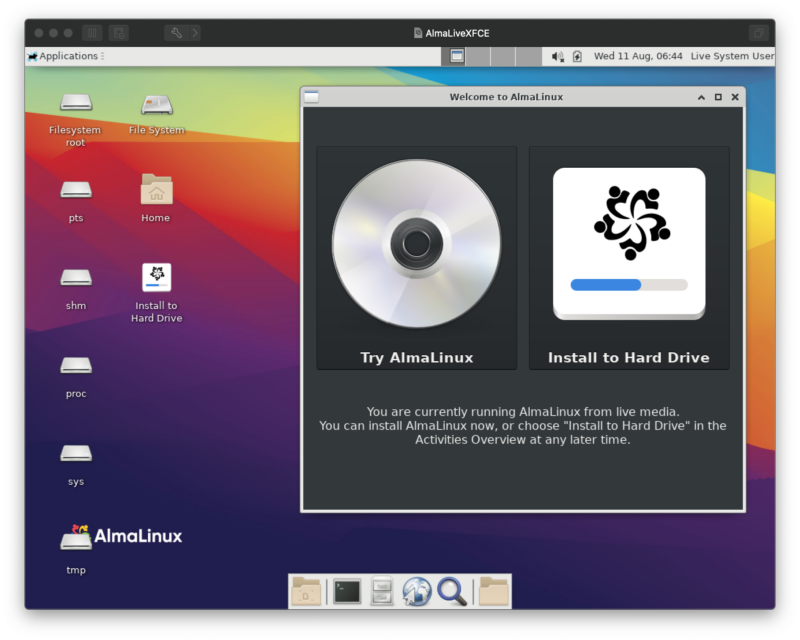
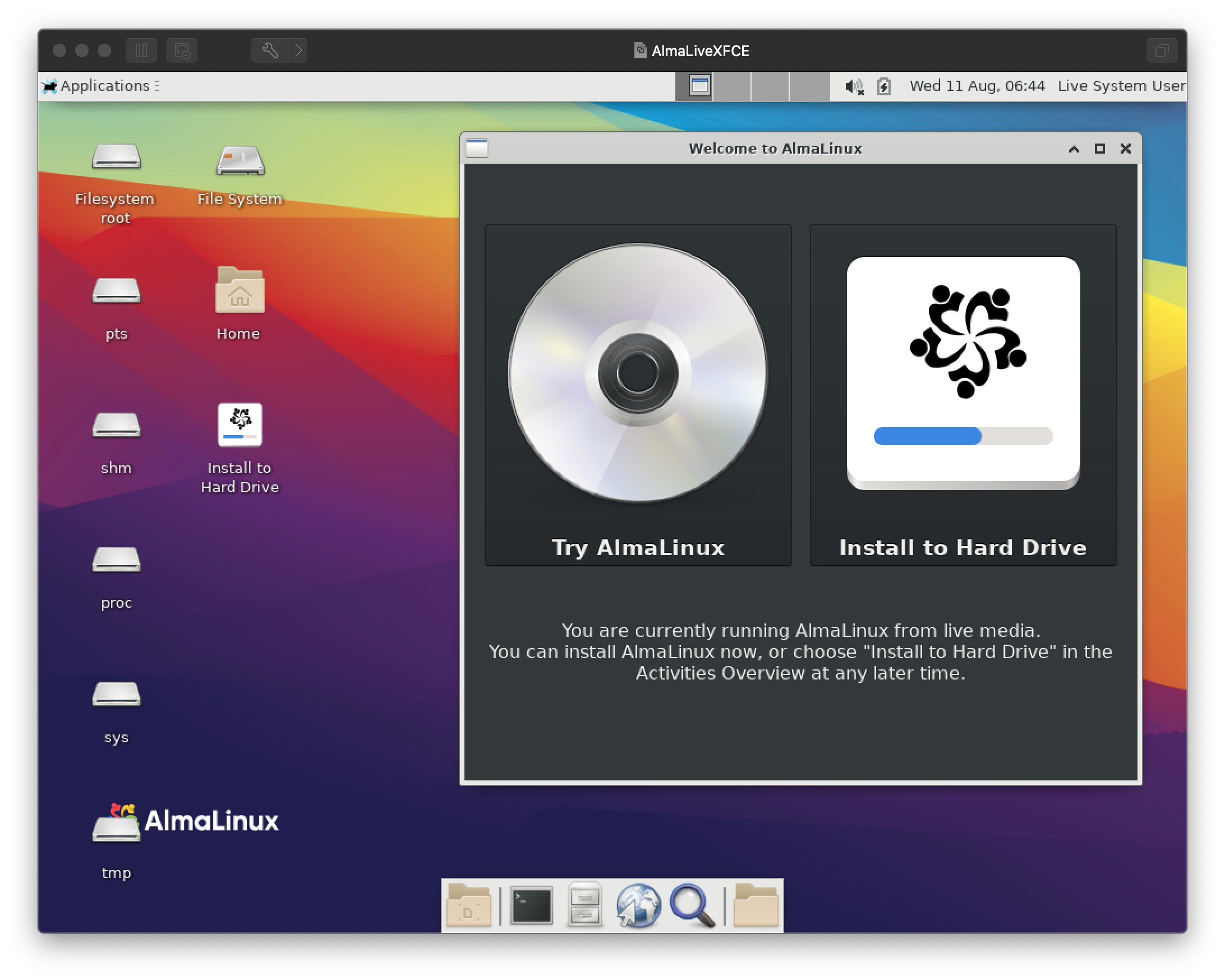
    AlmaLinux's live media, offering a quick spin or installation.

    Enlarge / AlmaLinux lets you build applications that work with Red Hat Enterprise Linux but can't promise the exact same bug environment. That's different from how they started, but it's also a chance to pick a new path forward. (credit: AlmaLinux OS)

    I asked benny Vasquez, chair of the AlmaLinux OS Foundation, how she would explain the recent Red Hat Enterprise Linux source code controversy to somebody at a family barbecue—somebody who, in other words, might not have followed the latest tech news quite so closely.

    "Most of my family barbecues are going to be explaining that Linux is an operating system," Vasquez said. "Then explaining what an operating system is."

    It is indeed tricky to explain all the pieces—Red Hat, Red Hat Enterprise Linux, CentOS, CentOS Stream, Fedora, RHEL, Alma, Rocky, upstreams, downstreams, source code, and the GPL—to anyone who isn't familiar with Red Hat's quirky history , and how it progressed to the wide but disparate ecosystem it has today. And, yes, Linux in general. But Vasquez was game to play out my thought experiment.
    Read 15 remaining paragraphs | Comments

    • tagbiz & it tagbiz & it tagbiz & it tagtech tagtech tagtech tagalmalinux tagalmalinux tagalmalinux tagalmalinux os tagalmalinux os tagalmalinux os tagcentos tagcentos tagcentos tagcentos stream tagcentos stream tagcentos stream tagenterprise linux tagenterprise linux tagenterprise linux tagfedora tagfedora tagfedora taggpl taggpl taggpl taglinux taglinux taglinux tagopen source tagopen source tagopen source tagred hat tagred hat tagred hat tagred hat enterprise linux tagred hat enterprise linux tagred hat enterprise linux tagrhel tagrhel tagrhel tagrocky linux tagrocky linux tagrocky linux tagbiz & it tagbiz & it tagbiz & it tagtech tagtech tagtech tagalmalinux tagalmalinux tagalmalinux tagalmalinux os tagalmalinux os tagalmalinux os tagcentos tagcentos tagcentos tagcentos stream tagcentos stream tagcentos stream tagenterprise linux tagenterprise linux tagenterprise linux tagfedora tagfedora tagfedora taggpl taggpl taggpl taglinux taglinux taglinux tagopen source tagopen source tagopen source tagred hat tagred hat tagred hat tagred hat enterprise linux tagred hat enterprise linux tagred hat enterprise linux tagrhel tagrhel tagrhel tagrocky linux tagrocky linux tagrocky linux tagbiz & it tagbiz & it tagbiz & it tagtech tagtech tagtech tagalmalinux tagalmalinux tagalmalinux tagalmalinux os tagalmalinux os tagalmalinux os tagcentos tagcentos tagcentos tagcentos stream tagcentos stream tagcentos stream tagenterprise linux tagenterprise linux tagenterprise linux tagfedora tagfedora tagfedora taggpl taggpl taggpl taglinux taglinux taglinux tagopen source tagopen source tagopen source tagred hat tagred hat tagred hat tagred hat enterprise linux tagred hat enterprise linux tagred hat enterprise linux tagrhel tagrhel tagrhel tagrocky linux tagrocky linux tagrocky linux

    • Ar chevron_right

      AlmaLinux says Red Hat source changes won’t kill its RHEL-compatible distro

      news.movim.eu / ArsTechnica • 24 July 2023

    AlmaLinux's live media, offering a quick spin or installation.

    Enlarge / AlmaLinux lets you build applications that work with Red Hat Enterprise Linux but can't promise the exact same bug environment. That's different from how they started, but it's also a chance to pick a new path forward. (credit: AlmaLinux OS)

    I asked benny Vasquez, chair of the AlmaLinux OS Foundation, how she would explain the recent Red Hat Enterprise Linux source code controversy to somebody at a family barbecue—somebody who, in other words, might not have followed the latest tech news quite so closely.

    "Most of my family barbecues are going to be explaining that Linux is an operating system," Vasquez said. "Then explaining what an operating system is."

    It is indeed tricky to explain all the pieces—Red Hat, Red Hat Enterprise Linux, CentOS, CentOS Stream, Fedora, RHEL, Alma, Rocky, upstreams, downstreams, source code, and the GPL—to anyone who isn't familiar with Red Hat's quirky history , and how it progressed to the wide but disparate ecosystem it has today. And, yes, Linux in general. But Vasquez was game to play out my thought experiment.
    Read 15 remaining paragraphs | Comments

    • tagbiz & it tagbiz & it tagbiz & it tagtech tagtech tagtech tagalmalinux tagalmalinux tagalmalinux tagalmalinux os tagalmalinux os tagalmalinux os tagcentos tagcentos tagcentos tagcentos stream tagcentos stream tagcentos stream tagenterprise linux tagenterprise linux tagenterprise linux tagfedora tagfedora tagfedora taggpl taggpl taggpl taglinux taglinux taglinux tagopen source tagopen source tagopen source tagred hat tagred hat tagred hat tagred hat enterprise linux tagred hat enterprise linux tagred hat enterprise linux tagrhel tagrhel tagrhel tagrocky linux tagrocky linux tagrocky linux tagbiz & it tagbiz & it tagbiz & it tagtech tagtech tagtech tagalmalinux tagalmalinux tagalmalinux tagalmalinux os tagalmalinux os tagalmalinux os tagcentos tagcentos tagcentos tagcentos stream tagcentos stream tagcentos stream tagenterprise linux tagenterprise linux tagenterprise linux tagfedora tagfedora tagfedora taggpl taggpl taggpl taglinux taglinux taglinux tagopen source tagopen source tagopen source tagred hat tagred hat tagred hat tagred hat enterprise linux tagred hat enterprise linux tagred hat enterprise linux tagrhel tagrhel tagrhel tagrocky linux tagrocky linux tagrocky linux tagbiz & it tagbiz & it tagbiz & it tagtech tagtech tagtech tagalmalinux tagalmalinux tagalmalinux tagalmalinux os tagalmalinux os tagalmalinux os tagcentos tagcentos tagcentos tagcentos stream tagcentos stream tagcentos stream tagenterprise linux tagenterprise linux tagenterprise linux tagfedora tagfedora tagfedora taggpl taggpl taggpl taglinux taglinux taglinux tagopen source tagopen source tagopen source tagred hat tagred hat tagred hat tagred hat enterprise linux tagred hat enterprise linux tagred hat enterprise linux tagrhel tagrhel tagrhel tagrocky linux tagrocky linux tagrocky linux

    • Ar chevron_right

      AlmaLinux says Red Hat source changes won’t kill its RHEL-compatible distro

      news.movim.eu / ArsTechnica • 24 July 2023

    AlmaLinux's live media, offering a quick spin or installation.

    Enlarge / AlmaLinux lets you build applications that work with Red Hat Enterprise Linux but can't promise the exact same bug environment. That's different from how they started, but it's also a chance to pick a new path forward. (credit: AlmaLinux OS)

    I asked benny Vasquez, chair of the AlmaLinux OS Foundation, how she would explain the recent Red Hat Enterprise Linux source code controversy to somebody at a family barbecue—somebody who, in other words, might not have followed the latest tech news quite so closely.

    "Most of my family barbecues are going to be explaining that Linux is an operating system," Vasquez said. "Then explaining what an operating system is."

    It is indeed tricky to explain all the pieces—Red Hat, Red Hat Enterprise Linux, CentOS, CentOS Stream, Fedora, RHEL, Alma, Rocky, upstreams, downstreams, source code, and the GPL—to anyone who isn't familiar with Red Hat's quirky history , and how it progressed to the wide but disparate ecosystem it has today. And, yes, Linux in general. But Vasquez was game to play out my thought experiment.
    Read 15 remaining paragraphs | Comments

    • tagbiz & it tagbiz & it tagbiz & it tagtech tagtech tagtech tagalmalinux tagalmalinux tagalmalinux tagalmalinux os tagalmalinux os tagalmalinux os tagcentos tagcentos tagcentos tagcentos stream tagcentos stream tagcentos stream tagenterprise linux tagenterprise linux tagenterprise linux tagfedora tagfedora tagfedora taggpl taggpl taggpl taglinux taglinux taglinux tagopen source tagopen source tagopen source tagred hat tagred hat tagred hat tagred hat enterprise linux tagred hat enterprise linux tagred hat enterprise linux tagrhel tagrhel tagrhel tagrocky linux tagrocky linux tagrocky linux tagbiz & it tagbiz & it tagbiz & it tagtech tagtech tagtech tagalmalinux tagalmalinux tagalmalinux tagalmalinux os tagalmalinux os tagalmalinux os tagcentos tagcentos tagcentos tagcentos stream tagcentos stream tagcentos stream tagenterprise linux tagenterprise linux tagenterprise linux tagfedora tagfedora tagfedora taggpl taggpl taggpl taglinux taglinux taglinux tagopen source tagopen source tagopen source tagred hat tagred hat tagred hat tagred hat enterprise linux tagred hat enterprise linux tagred hat enterprise linux tagrhel tagrhel tagrhel tagrocky linux tagrocky linux tagrocky linux tagbiz & it tagbiz & it tagbiz & it tagtech tagtech tagtech tagalmalinux tagalmalinux tagalmalinux tagalmalinux os tagalmalinux os tagalmalinux os tagcentos tagcentos tagcentos tagcentos stream tagcentos stream tagcentos stream tagenterprise linux tagenterprise linux tagenterprise linux tagfedora tagfedora tagfedora taggpl taggpl taggpl taglinux taglinux taglinux tagopen source tagopen source tagopen source tagred hat tagred hat tagred hat tagred hat enterprise linux tagred hat enterprise linux tagred hat enterprise linux tagrhel tagrhel tagrhel tagrocky linux tagrocky linux tagrocky linux

    • Ar chevron_right

      Apple releases iOS, iPadOS, and macOS updates to fix bugs and shore up security

      news.movim.eu / ArsTechnica • 24 July 2023 • 1 minute

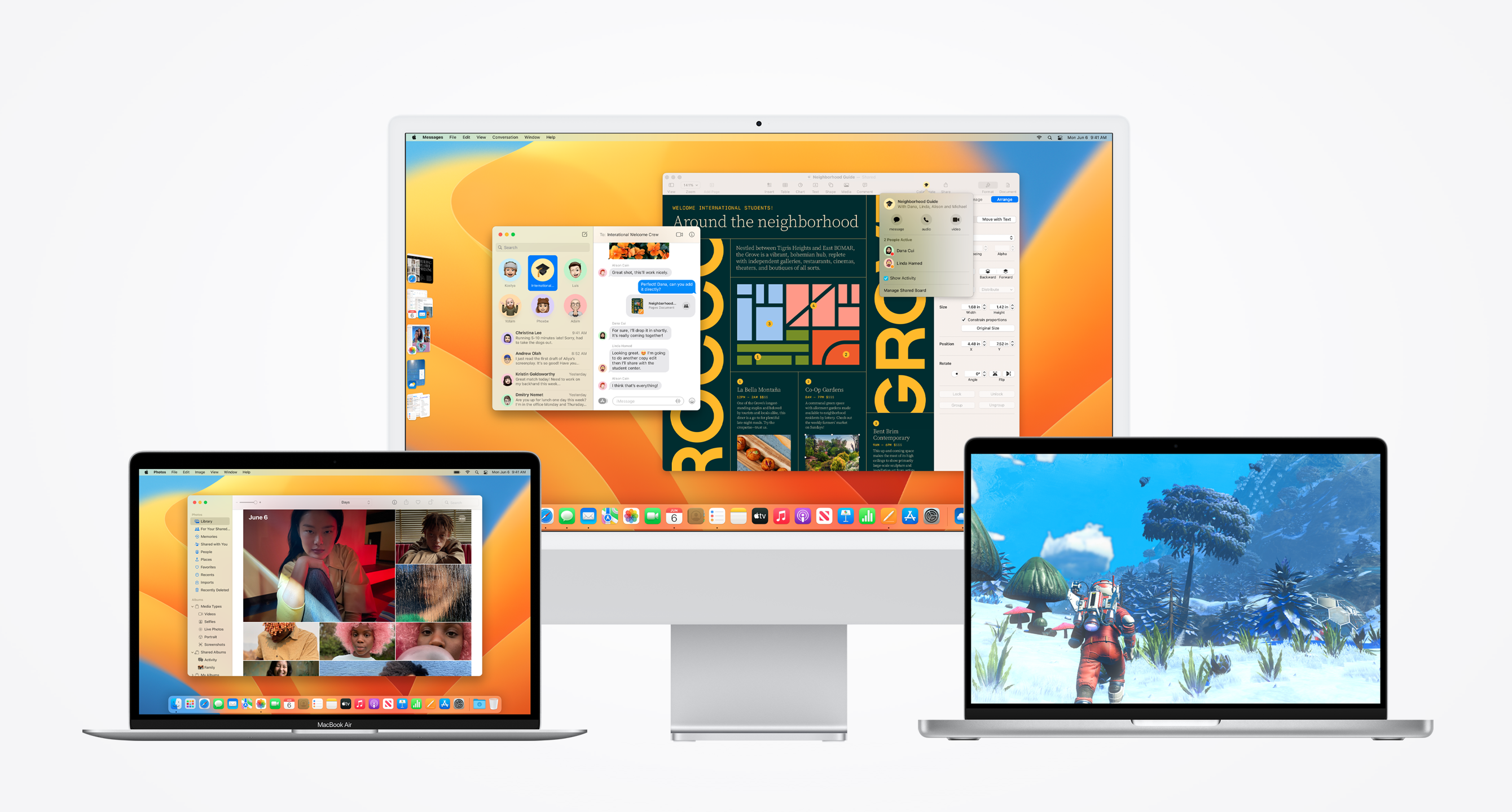
    Macs running macOS Ventura.

    Enlarge / Macs running macOS Ventura. (credit: Apple)

    Apple's iOS 16, iPadOS 16, and macOS 13 operating systems are all due to be replaced with new versions in the next two or three months, but some bugs can't wait for a whole new release. The company has released iOS/iPadOS 16.6 and macOS 13.5 to fix several "actively exploited" security bugs, plus a handful of other security fixes for problems that have been reported to Apple but aren't being exploited in the wild yet. The release notes also mention unspecified "bug fixes" for each OS.

    The new updates don't add anything by way of new features—at least, there aren't any mentioned in the release notes. This will likely be the case for most iOS 16 and macOS 13 Ventura updates going forward, as Apple shifts its focus to newer operating systems. The iOS/iPadOS 17 and macOS 14 Sonoma updates should be available in September or October, if Apple sticks to its historical release schedule. The public betas were released earlier this month.

    Several of the security fixes in these updates were originally part of a Rapid Response security update for iOS 16.5.1 and macOS 13.4.1. The original version of that update was pulled post-release after it broke a few major websites on devices that installed it, but a working version with the same fixes was released soon after.

    Read 2 remaining paragraphs | Comments

    • tagapple tagapple tagapple tagtech tagtech tagtech tagapple update tagapple update tagapple update tagios tagios tagios tagios 15 tagios 15 tagios 15 tagios 16 tagios 16 tagios 16 tagios 16.6 tagios 16.6 tagios 16.6 tagios 17 tagios 17 tagios 17 tagios beta tagios beta tagios beta tagipados tagipados tagipados tagipados 16 tagipados 16 tagipados 16 tagmacos tagmacos tagmacos tagmacos 11 tagmacos 11 tagmacos 11 tagmacos 12 tagmacos 12 tagmacos 12 tagmacos 13 tagmacos 13 tagmacos 13 tagmacos 13 ventura tagmacos 13 ventura tagmacos 13 ventura tagmacos ventura tagmacos ventura tagmacos ventura tagapple tagapple tagapple tagtech tagtech tagtech tagapple update tagapple update tagapple update tagios tagios tagios tagios 15 tagios 15 tagios 15 tagios 16 tagios 16 tagios 16 tagios 16.6 tagios 16.6 tagios 16.6 tagios 17 tagios 17 tagios 17 tagios beta tagios beta tagios beta tagipados tagipados tagipados tagipados 16 tagipados 16 tagipados 16 tagmacos tagmacos tagmacos tagmacos 11 tagmacos 11 tagmacos 11 tagmacos 12 tagmacos 12 tagmacos 12 tagmacos 13 tagmacos 13 tagmacos 13 tagmacos 13 ventura tagmacos 13 ventura tagmacos 13 ventura tagmacos ventura tagmacos ventura tagmacos ventura tagapple tagapple tagapple tagtech tagtech tagtech tagapple update tagapple update tagapple update tagios tagios tagios tagios 15 tagios 15 tagios 15 tagios 16 tagios 16 tagios 16 tagios 16.6 tagios 16.6 tagios 16.6 tagios 17 tagios 17 tagios 17 tagios beta tagios beta tagios beta tagipados tagipados tagipados tagipados 16 tagipados 16 tagipados 16 tagmacos tagmacos tagmacos tagmacos 11 tagmacos 11 tagmacos 11 tagmacos 12 tagmacos 12 tagmacos 12 tagmacos 13 tagmacos 13 tagmacos 13 tagmacos 13 ventura tagmacos 13 ventura tagmacos 13 ventura tagmacos ventura tagmacos ventura tagmacos ventura

    • Ar chevron_right

      Apple releases iOS, iPadOS, and macOS updates to fix bugs and shore up security

      news.movim.eu / ArsTechnica • 24 July 2023 • 1 minute

    Macs running macOS Ventura.

    Enlarge / Macs running macOS Ventura. (credit: Apple)

    Apple's iOS 16, iPadOS 16, and macOS 13 operating systems are all due to be replaced with new versions in the next two or three months, but some bugs can't wait for a whole new release. The company has released iOS/iPadOS 16.6 and macOS 13.5 to fix several "actively exploited" security bugs, plus a handful of other security fixes for problems that have been reported to Apple but aren't being exploited in the wild yet. The release notes also mention unspecified "bug fixes" for each OS.

    The new updates don't add anything by way of new features—at least, there aren't any mentioned in the release notes. This will likely be the case for most iOS 16 and macOS 13 Ventura updates going forward, as Apple shifts its focus to newer operating systems. The iOS/iPadOS 17 and macOS 14 Sonoma updates should be available in September or October, if Apple sticks to its historical release schedule. The public betas were released earlier this month.

    Several of the security fixes in these updates were originally part of a Rapid Response security update for iOS 16.5.1 and macOS 13.4.1. The original version of that update was pulled post-release after it broke a few major websites on devices that installed it, but a working version with the same fixes was released soon after.

    Read 2 remaining paragraphs | Comments

    • tagapple tagapple tagapple tagtech tagtech tagtech tagapple update tagapple update tagapple update tagios tagios tagios tagios 15 tagios 15 tagios 15 tagios 16 tagios 16 tagios 16 tagios 16.6 tagios 16.6 tagios 16.6 tagios 17 tagios 17 tagios 17 tagios beta tagios beta tagios beta tagipados tagipados tagipados tagipados 16 tagipados 16 tagipados 16 tagmacos tagmacos tagmacos tagmacos 11 tagmacos 11 tagmacos 11 tagmacos 12 tagmacos 12 tagmacos 12 tagmacos 13 tagmacos 13 tagmacos 13 tagmacos 13 ventura tagmacos 13 ventura tagmacos 13 ventura tagmacos ventura tagmacos ventura tagmacos ventura tagapple tagapple tagapple tagtech tagtech tagtech tagapple update tagapple update tagapple update tagios tagios tagios tagios 15 tagios 15 tagios 15 tagios 16 tagios 16 tagios 16 tagios 16.6 tagios 16.6 tagios 16.6 tagios 17 tagios 17 tagios 17 tagios beta tagios beta tagios beta tagipados tagipados tagipados tagipados 16 tagipados 16 tagipados 16 tagmacos tagmacos tagmacos tagmacos 11 tagmacos 11 tagmacos 11 tagmacos 12 tagmacos 12 tagmacos 12 tagmacos 13 tagmacos 13 tagmacos 13 tagmacos 13 ventura tagmacos 13 ventura tagmacos 13 ventura tagmacos ventura tagmacos ventura tagmacos ventura tagapple tagapple tagapple tagtech tagtech tagtech tagapple update tagapple update tagapple update tagios tagios tagios tagios 15 tagios 15 tagios 15 tagios 16 tagios 16 tagios 16 tagios 16.6 tagios 16.6 tagios 16.6 tagios 17 tagios 17 tagios 17 tagios beta tagios beta tagios beta tagipados tagipados tagipados tagipados 16 tagipados 16 tagipados 16 tagmacos tagmacos tagmacos tagmacos 11 tagmacos 11 tagmacos 11 tagmacos 12 tagmacos 12 tagmacos 12 tagmacos 13 tagmacos 13 tagmacos 13 tagmacos 13 ventura tagmacos 13 ventura tagmacos 13 ventura tagmacos ventura tagmacos ventura tagmacos ventura

    • Ar chevron_right

      Apple releases iOS, iPadOS, and macOS updates to fix bugs and shore up security

      news.movim.eu / ArsTechnica • 24 July 2023 • 1 minute

    Macs running macOS Ventura.

    Enlarge / Macs running macOS Ventura. (credit: Apple)

    Apple's iOS 16, iPadOS 16, and macOS 13 operating systems are all due to be replaced with new versions in the next two or three months, but some bugs can't wait for a whole new release. The company has released iOS/iPadOS 16.6 and macOS 13.5 to fix several "actively exploited" security bugs, plus a handful of other security fixes for problems that have been reported to Apple but aren't being exploited in the wild yet. The release notes also mention unspecified "bug fixes" for each OS.

    The new updates don't add anything by way of new features—at least, there aren't any mentioned in the release notes. This will likely be the case for most iOS 16 and macOS 13 Ventura updates going forward, as Apple shifts its focus to newer operating systems. The iOS/iPadOS 17 and macOS 14 Sonoma updates should be available in September or October, if Apple sticks to its historical release schedule. The public betas were released earlier this month.

    Several of the security fixes in these updates were originally part of a Rapid Response security update for iOS 16.5.1 and macOS 13.4.1. The original version of that update was pulled post-release after it broke a few major websites on devices that installed it, but a working version with the same fixes was released soon after.

    Read 2 remaining paragraphs | Comments

    • tagapple tagapple tagapple tagtech tagtech tagtech tagapple update tagapple update tagapple update tagios tagios tagios tagios 15 tagios 15 tagios 15 tagios 16 tagios 16 tagios 16 tagios 16.6 tagios 16.6 tagios 16.6 tagios 17 tagios 17 tagios 17 tagios beta tagios beta tagios beta tagipados tagipados tagipados tagipados 16 tagipados 16 tagipados 16 tagmacos tagmacos tagmacos tagmacos 11 tagmacos 11 tagmacos 11 tagmacos 12 tagmacos 12 tagmacos 12 tagmacos 13 tagmacos 13 tagmacos 13 tagmacos 13 ventura tagmacos 13 ventura tagmacos 13 ventura tagmacos ventura tagmacos ventura tagmacos ventura tagapple tagapple tagapple tagtech tagtech tagtech tagapple update tagapple update tagapple update tagios tagios tagios tagios 15 tagios 15 tagios 15 tagios 16 tagios 16 tagios 16 tagios 16.6 tagios 16.6 tagios 16.6 tagios 17 tagios 17 tagios 17 tagios beta tagios beta tagios beta tagipados tagipados tagipados tagipados 16 tagipados 16 tagipados 16 tagmacos tagmacos tagmacos tagmacos 11 tagmacos 11 tagmacos 11 tagmacos 12 tagmacos 12 tagmacos 12 tagmacos 13 tagmacos 13 tagmacos 13 tagmacos 13 ventura tagmacos 13 ventura tagmacos 13 ventura tagmacos ventura tagmacos ventura tagmacos ventura tagapple tagapple tagapple tagtech tagtech tagtech tagapple update tagapple update tagapple update tagios tagios tagios tagios 15 tagios 15 tagios 15 tagios 16 tagios 16 tagios 16 tagios 16.6 tagios 16.6 tagios 16.6 tagios 17 tagios 17 tagios 17 tagios beta tagios beta tagios beta tagipados tagipados tagipados tagipados 16 tagipados 16 tagipados 16 tagmacos tagmacos tagmacos tagmacos 11 tagmacos 11 tagmacos 11 tagmacos 12 tagmacos 12 tagmacos 12 tagmacos 13 tagmacos 13 tagmacos 13 tagmacos 13 ventura tagmacos 13 ventura tagmacos 13 ventura tagmacos ventura tagmacos ventura tagmacos ventura

    • Ar chevron_right

      Five cool features and one weird thing you’ll find in macOS 14 Sonoma

      news.movim.eu / ArsTechnica • 24 July 2023 • 1 minute

    Five cool features and one weird thing you’ll find in macOS 14 Sonoma

    Enlarge (credit: Andrew Cunningham)

    Apple released its first public beta for macOS Sonoma (among other operating systems) this month, and per usual, headlining features like desktop widgets have gotten a lot of coverage. We'll take a more comprehensive look at the big-ticket items in our review later this fall, but there are always some features and changes worth discussing that get buried or lost in the shuffle. Here are a few deeper cuts we've played with so far.

    Better screen sharing

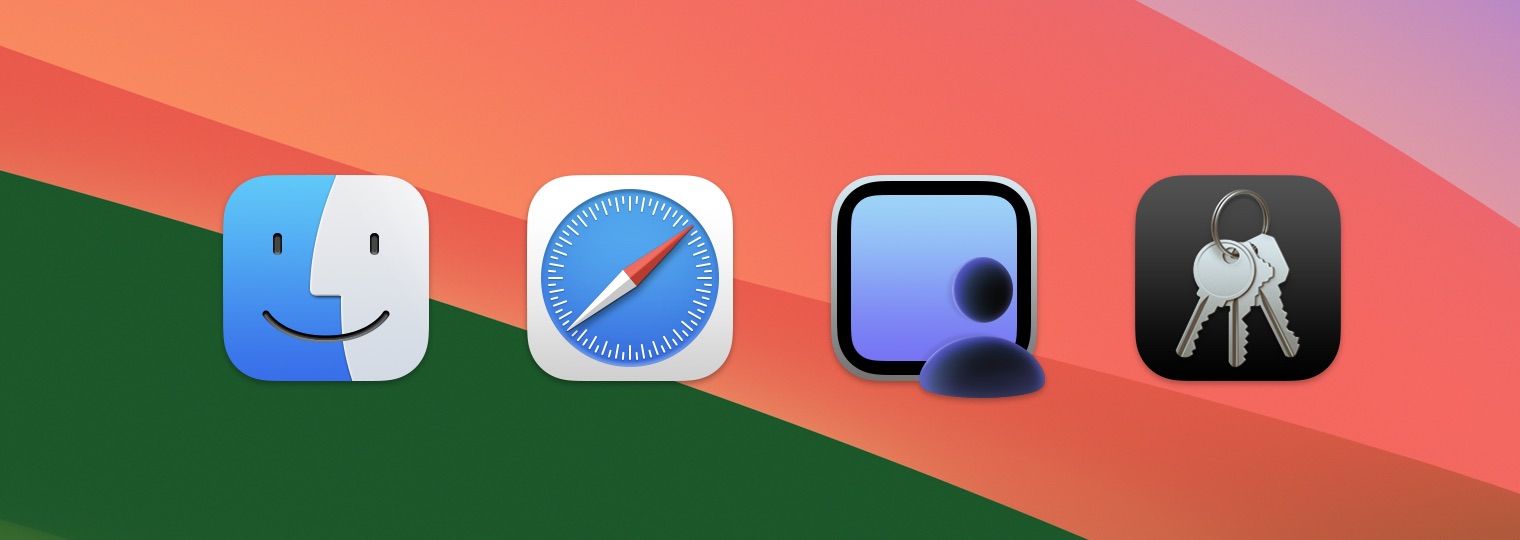
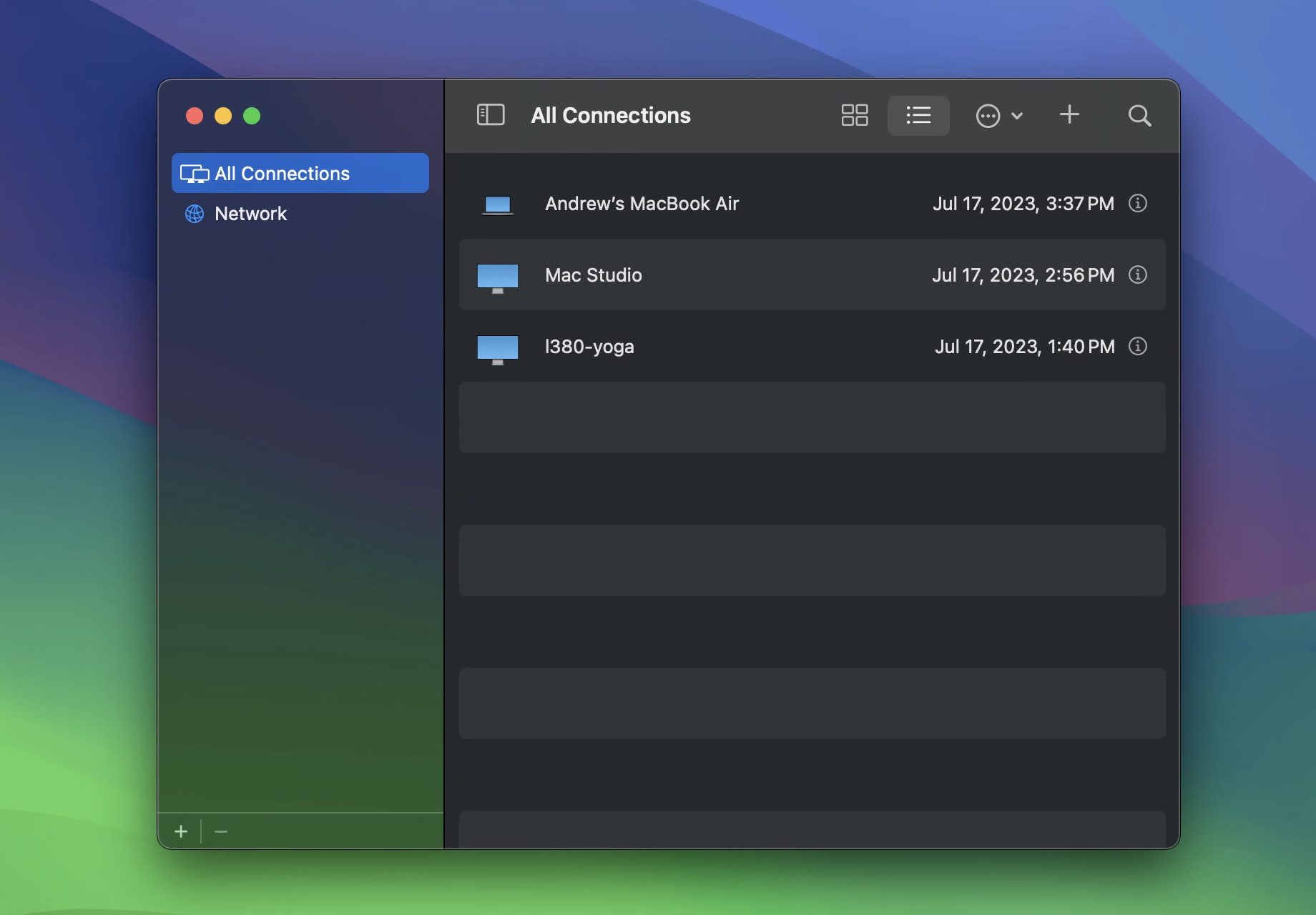
    The new Screen Sharing app, which is actually an app and not just a window you type an IP address into. Note the mix of Macs and PCs.

    The new Screen Sharing app, which is actually an app and not just a window you type an IP address into. Note the mix of Macs and PCs. (credit: Andrew Cunningham)

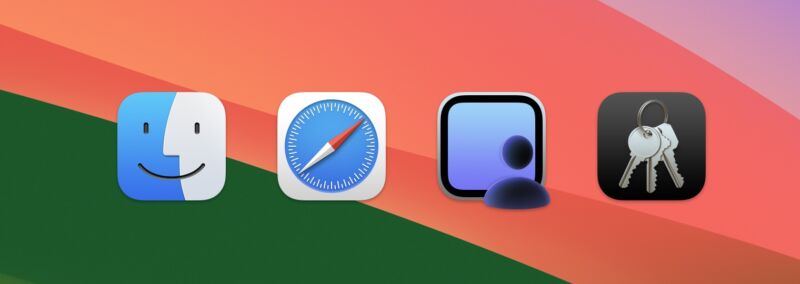
    Apple first added basic screen sharing support to macOS back in 2007, with version 10.5 (Leopard). Screen sharing did use a dedicated app, but it was hidden in macOS' system folders rather than in the Applications or Utilities folders—it was really only intended to be launched indirectly, either using the Finder or the Connect to Server menu . If you did launch it directly, its interface was a simple "connect to" dialog where you could enter your desired hostname or IP address. Functional, but minimalist.

    Screen Sharing in Sonoma revamps the app itself, as well as how the underlying technology works. You'll now find a Screen Sharing app in the Utilities folder (the same place as Terminal, Disk Utility, and others), signaling that Apple has made it a full-fledged app. The new Screen Sharing app looks a bit like a (very) light, feature-limited version of the Remote Desktop management software, with a list of all computers you've connected to in the past, the ability to see all computers on your local network with screen sharing enabled, and the option to create groups of computers so you can easily sort systems based on how you use them.

    Read 27 remaining paragraphs | Comments

    • tagapple tagapple tagapple tagtech tagtech tagtech tagmac os x tagmac os x tagmac os x tagmacos tagmacos tagmacos tagmacos 14 tagmacos 14 tagmacos 14 tagmacos 14 sonoma tagmacos 14 sonoma tagmacos 14 sonoma tagmacos developer beta tagmacos developer beta tagmacos developer beta tagmacos public beta tagmacos public beta tagmacos public beta tagmacos sonoma tagmacos sonoma tagmacos sonoma tagsafari tagsafari tagsafari tagapple tagapple tagapple tagtech tagtech tagtech tagmac os x tagmac os x tagmac os x tagmacos tagmacos tagmacos tagmacos 14 tagmacos 14 tagmacos 14 tagmacos 14 sonoma tagmacos 14 sonoma tagmacos 14 sonoma tagmacos developer beta tagmacos developer beta tagmacos developer beta tagmacos public beta tagmacos public beta tagmacos public beta tagmacos sonoma tagmacos sonoma tagmacos sonoma tagsafari tagsafari tagsafari tagapple tagapple tagapple tagtech tagtech tagtech tagmac os x tagmac os x tagmac os x tagmacos tagmacos tagmacos tagmacos 14 tagmacos 14 tagmacos 14 tagmacos 14 sonoma tagmacos 14 sonoma tagmacos 14 sonoma tagmacos developer beta tagmacos developer beta tagmacos developer beta tagmacos public beta tagmacos public beta tagmacos public beta tagmacos sonoma tagmacos sonoma tagmacos sonoma tagsafari tagsafari tagsafari

    • Ar chevron_right

      Five cool features and one weird thing you’ll find in macOS 14 Sonoma

      news.movim.eu / ArsTechnica • 24 July 2023 • 1 minute

    Five cool features and one weird thing you’ll find in macOS 14 Sonoma

    Enlarge (credit: Andrew Cunningham)

    Apple released its first public beta for macOS Sonoma (among other operating systems) this month, and per usual, headlining features like desktop widgets have gotten a lot of coverage. We'll take a more comprehensive look at the big-ticket items in our review later this fall, but there are always some features and changes worth discussing that get buried or lost in the shuffle. Here are a few deeper cuts we've played with so far.

    Better screen sharing

    The new Screen Sharing app, which is actually an app and not just a window you type an IP address into. Note the mix of Macs and PCs.

    The new Screen Sharing app, which is actually an app and not just a window you type an IP address into. Note the mix of Macs and PCs. (credit: Andrew Cunningham)

    Apple first added basic screen sharing support to macOS back in 2007, with version 10.5 (Leopard). Screen sharing did use a dedicated app, but it was hidden in macOS' system folders rather than in the Applications or Utilities folders—it was really only intended to be launched indirectly, either using the Finder or the Connect to Server menu . If you did launch it directly, its interface was a simple "connect to" dialog where you could enter your desired hostname or IP address. Functional, but minimalist.

    Screen Sharing in Sonoma revamps the app itself, as well as how the underlying technology works. You'll now find a Screen Sharing app in the Utilities folder (the same place as Terminal, Disk Utility, and others), signaling that Apple has made it a full-fledged app. The new Screen Sharing app looks a bit like a (very) light, feature-limited version of the Remote Desktop management software, with a list of all computers you've connected to in the past, the ability to see all computers on your local network with screen sharing enabled, and the option to create groups of computers so you can easily sort systems based on how you use them.

    Read 27 remaining paragraphs | Comments

    • tagapple tagapple tagapple tagtech tagtech tagtech tagmac os x tagmac os x tagmac os x tagmacos tagmacos tagmacos tagmacos 14 tagmacos 14 tagmacos 14 tagmacos 14 sonoma tagmacos 14 sonoma tagmacos 14 sonoma tagmacos developer beta tagmacos developer beta tagmacos developer beta tagmacos public beta tagmacos public beta tagmacos public beta tagmacos sonoma tagmacos sonoma tagmacos sonoma tagsafari tagsafari tagsafari tagapple tagapple tagapple tagtech tagtech tagtech tagmac os x tagmac os x tagmac os x tagmacos tagmacos tagmacos tagmacos 14 tagmacos 14 tagmacos 14 tagmacos 14 sonoma tagmacos 14 sonoma tagmacos 14 sonoma tagmacos developer beta tagmacos developer beta tagmacos developer beta tagmacos public beta tagmacos public beta tagmacos public beta tagmacos sonoma tagmacos sonoma tagmacos sonoma tagsafari tagsafari tagsafari tagapple tagapple tagapple tagtech tagtech tagtech tagmac os x tagmac os x tagmac os x tagmacos tagmacos tagmacos tagmacos 14 tagmacos 14 tagmacos 14 tagmacos 14 sonoma tagmacos 14 sonoma tagmacos 14 sonoma tagmacos developer beta tagmacos developer beta tagmacos developer beta tagmacos public beta tagmacos public beta tagmacos public beta tagmacos sonoma tagmacos sonoma tagmacos sonoma tagsafari tagsafari tagsafari

    • Ar chevron_right

      Five cool features and one weird thing you’ll find in macOS 14 Sonoma

      news.movim.eu / ArsTechnica • 24 July 2023 • 1 minute

    Five cool features and one weird thing you’ll find in macOS 14 Sonoma

    Enlarge (credit: Andrew Cunningham)

    Apple released its first public beta for macOS Sonoma (among other operating systems) this month, and per usual, headlining features like desktop widgets have gotten a lot of coverage. We'll take a more comprehensive look at the big-ticket items in our review later this fall, but there are always some features and changes worth discussing that get buried or lost in the shuffle. Here are a few deeper cuts we've played with so far.

    Better screen sharing

    The new Screen Sharing app, which is actually an app and not just a window you type an IP address into. Note the mix of Macs and PCs.

    The new Screen Sharing app, which is actually an app and not just a window you type an IP address into. Note the mix of Macs and PCs. (credit: Andrew Cunningham)

    Apple first added basic screen sharing support to macOS back in 2007, with version 10.5 (Leopard). Screen sharing did use a dedicated app, but it was hidden in macOS' system folders rather than in the Applications or Utilities folders—it was really only intended to be launched indirectly, either using the Finder or the Connect to Server menu . If you did launch it directly, its interface was a simple "connect to" dialog where you could enter your desired hostname or IP address. Functional, but minimalist.

    Screen Sharing in Sonoma revamps the app itself, as well as how the underlying technology works. You'll now find a Screen Sharing app in the Utilities folder (the same place as Terminal, Disk Utility, and others), signaling that Apple has made it a full-fledged app. The new Screen Sharing app looks a bit like a (very) light, feature-limited version of the Remote Desktop management software, with a list of all computers you've connected to in the past, the ability to see all computers on your local network with screen sharing enabled, and the option to create groups of computers so you can easily sort systems based on how you use them.

    Read 27 remaining paragraphs | Comments

    • tagapple tagapple tagapple tagtech tagtech tagtech tagmac os x tagmac os x tagmac os x tagmacos tagmacos tagmacos tagmacos 14 tagmacos 14 tagmacos 14 tagmacos 14 sonoma tagmacos 14 sonoma tagmacos 14 sonoma tagmacos developer beta tagmacos developer beta tagmacos developer beta tagmacos public beta tagmacos public beta tagmacos public beta tagmacos sonoma tagmacos sonoma tagmacos sonoma tagsafari tagsafari tagsafari tagapple tagapple tagapple tagtech tagtech tagtech tagmac os x tagmac os x tagmac os x tagmacos tagmacos tagmacos tagmacos 14 tagmacos 14 tagmacos 14 tagmacos 14 sonoma tagmacos 14 sonoma tagmacos 14 sonoma tagmacos developer beta tagmacos developer beta tagmacos developer beta tagmacos public beta tagmacos public beta tagmacos public beta tagmacos sonoma tagmacos sonoma tagmacos sonoma tagsafari tagsafari tagsafari tagapple tagapple tagapple tagtech tagtech tagtech tagmac os x tagmac os x tagmac os x tagmacos tagmacos tagmacos tagmacos 14 tagmacos 14 tagmacos 14 tagmacos 14 sonoma tagmacos 14 sonoma tagmacos 14 sonoma tagmacos developer beta tagmacos developer beta tagmacos developer beta tagmacos public beta tagmacos public beta tagmacos public beta tagmacos sonoma tagmacos sonoma tagmacos sonoma tagsafari tagsafari tagsafari

  • history

    Get older posts

  • cloud_queue

    Powered by Movim