• progress_activity cloud_sync

    Reconnection to the server…

    Movim cannot talk with the server, please try again later


    • Public subscriptions

    • chevron_right

      coopr8

    • chevron_right

      gabagoo

    • chevron_right

      kenu_demon

    • chevron_right

      coopr8

    • chevron_right

      gabagoo

    • chevron_right

      kenu_demon

    • chevron_right

      coopr8

    • chevron_right

      gabagoo

    • chevron_right

      kenu_demon

  • Register Login

    Movim

    movim.chatterboxtown.us


  • group_work rss_feed
    add Follow

    ArsTechnica

    • Ar chevron_right

      Outlook for Windows app replaces Mail and Calendar in new Windows 11 preview

      news.movim.eu / ArsTechnica • 20 July 2023 • 1 minute
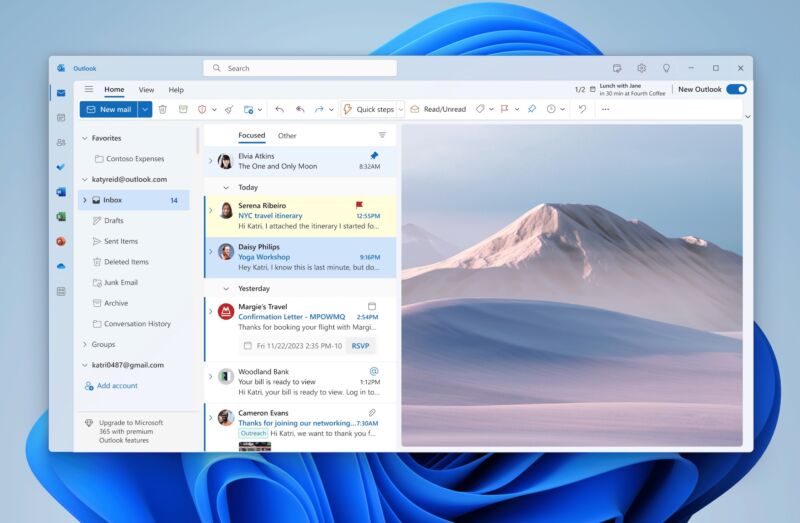
    The Outlook for Windows web app is included by default in the latest Dev channel Windows Insider build.

    Enlarge / The Outlook for Windows web app is included by default in the latest Dev channel Windows Insider build. (credit: Microsoft)
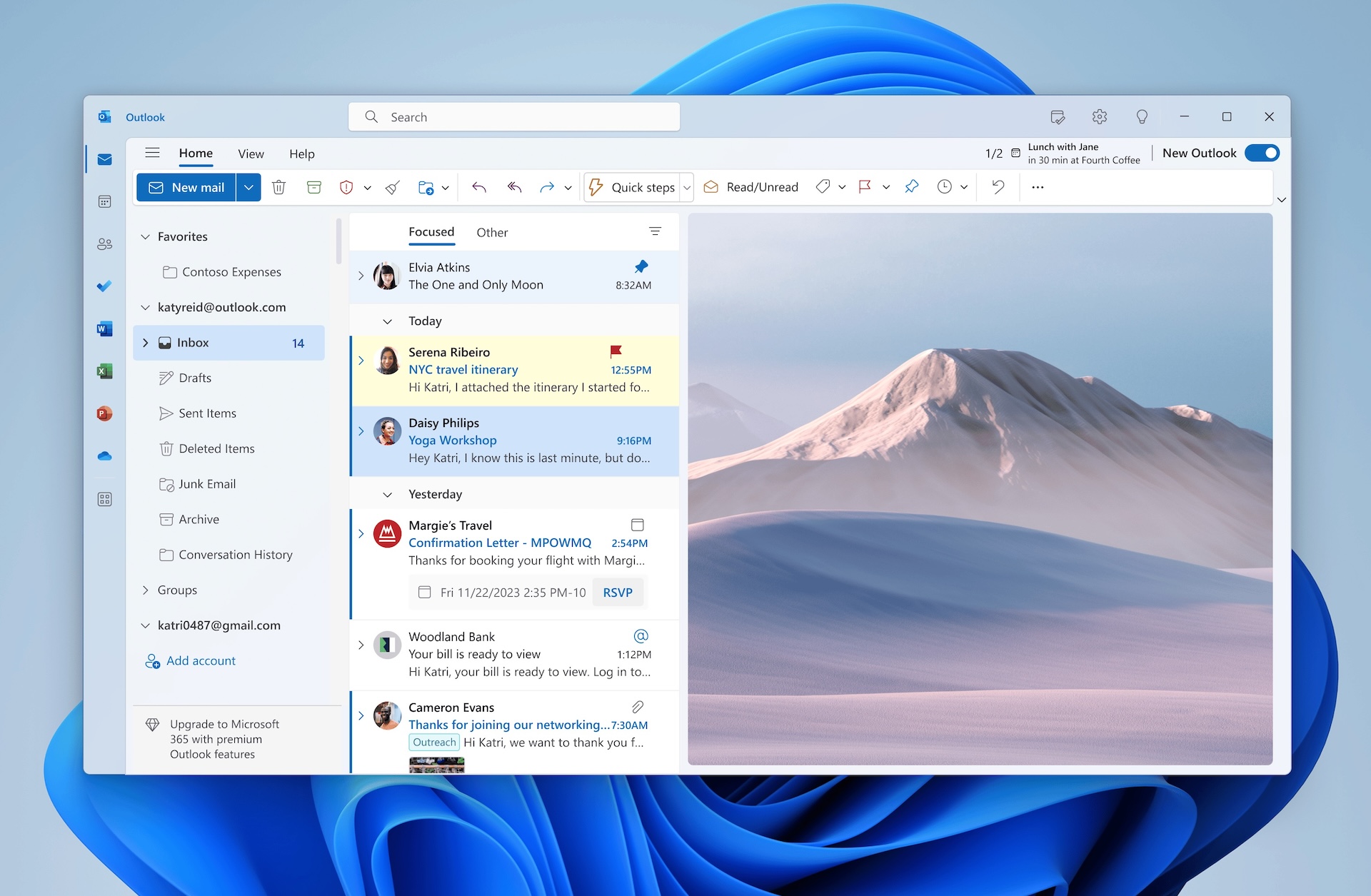
    Windows 11's next major release continues to take shape in the company's Dev channel Insider Preview builds, and last month, Microsoft added the first preview of the AI-powered Windows Copilot feature. This week's build makes a few other noteworthy changes , replacing Windows' built-in Mail and Calendar apps with the work-in-progress Outlook for Windows app, changing how the operating system displays emoji, improving Windows' local file-sharing capabilities, and more.

    Microsoft has been working on the Outlook for Windows progressive web app for a couple of years now. The version in the Windows 11 build is labeled as a preview, and it's still missing fairly significant features, including IMAP support for third-party mail services, iCloud Mail support, and an offline mode (though it does support multiple accounts now). It also left the Mail and Calendar apps installed on my test PC, though this may change by the time it's released to the public—Microsoft has said that it will continue offering Mail and Calendar in the Windows Store through the end of 2024 before discontinuing both of them.

    For third-party services that Outlook for Windows does support, like Gmail, the Outlook app will sync a copy of your email, calendar, and contacts with Microsoft's servers rather than communicating directly with Google's servers and storing files locally as a traditional mail client would. This makes it so third-party mail accounts get all the same features and benefits as Microsoft accounts when used in Outlook for Windows, but it also means there's a second copy of all of your data out there, subject to both companies' privacy policies and security breaches.

    Read 4 remaining paragraphs | Comments

    • tagtech tagtech tagtech tagmicrosoft outlook tagmicrosoft outlook tagmicrosoft outlook tagoutlook tagoutlook tagoutlook tagoutlook for windows tagoutlook for windows tagoutlook for windows tagpwa tagpwa tagpwa tagwindows 11 tagwindows 11 tagwindows 11 tagtech tagtech tagtech tagmicrosoft outlook tagmicrosoft outlook tagmicrosoft outlook tagoutlook tagoutlook tagoutlook tagoutlook for windows tagoutlook for windows tagoutlook for windows tagpwa tagpwa tagpwa tagwindows 11 tagwindows 11 tagwindows 11 tagtech tagtech tagtech tagmicrosoft outlook tagmicrosoft outlook tagmicrosoft outlook tagoutlook tagoutlook tagoutlook tagoutlook for windows tagoutlook for windows tagoutlook for windows tagpwa tagpwa tagpwa tagwindows 11 tagwindows 11 tagwindows 11

    • Ar chevron_right

      Outlook for Windows app replaces Mail and Calendar in new Windows 11 preview

      news.movim.eu / ArsTechnica • 20 July 2023 • 1 minute

    The Outlook for Windows web app is included by default in the latest Dev channel Windows Insider build.

    Enlarge / The Outlook for Windows web app is included by default in the latest Dev channel Windows Insider build. (credit: Microsoft)

    Windows 11's next major release continues to take shape in the company's Dev channel Insider Preview builds, and last month, Microsoft added the first preview of the AI-powered Windows Copilot feature. This week's build makes a few other noteworthy changes , replacing Windows' built-in Mail and Calendar apps with the work-in-progress Outlook for Windows app, changing how the operating system displays emoji, improving Windows' local file-sharing capabilities, and more.

    Microsoft has been working on the Outlook for Windows progressive web app for a couple of years now. The version in the Windows 11 build is labeled as a preview, and it's still missing fairly significant features, including IMAP support for third-party mail services, iCloud Mail support, and an offline mode (though it does support multiple accounts now). It also left the Mail and Calendar apps installed on my test PC, though this may change by the time it's released to the public—Microsoft has said that it will continue offering Mail and Calendar in the Windows Store through the end of 2024 before discontinuing both of them.

    For third-party services that Outlook for Windows does support, like Gmail, the Outlook app will sync a copy of your email, calendar, and contacts with Microsoft's servers rather than communicating directly with Google's servers and storing files locally as a traditional mail client would. This makes it so third-party mail accounts get all the same features and benefits as Microsoft accounts when used in Outlook for Windows, but it also means there's a second copy of all of your data out there, subject to both companies' privacy policies and security breaches.

    Read 4 remaining paragraphs | Comments

    • tagtech tagtech tagtech tagmicrosoft outlook tagmicrosoft outlook tagmicrosoft outlook tagoutlook tagoutlook tagoutlook tagoutlook for windows tagoutlook for windows tagoutlook for windows tagpwa tagpwa tagpwa tagwindows 11 tagwindows 11 tagwindows 11 tagtech tagtech tagtech tagmicrosoft outlook tagmicrosoft outlook tagmicrosoft outlook tagoutlook tagoutlook tagoutlook tagoutlook for windows tagoutlook for windows tagoutlook for windows tagpwa tagpwa tagpwa tagwindows 11 tagwindows 11 tagwindows 11 tagtech tagtech tagtech tagmicrosoft outlook tagmicrosoft outlook tagmicrosoft outlook tagoutlook tagoutlook tagoutlook tagoutlook for windows tagoutlook for windows tagoutlook for windows tagpwa tagpwa tagpwa tagwindows 11 tagwindows 11 tagwindows 11

    • Ar chevron_right

      Outlook for Windows app replaces Mail and Calendar in new Windows 11 preview

      news.movim.eu / ArsTechnica • 20 July 2023 • 1 minute

    The Outlook for Windows web app is included by default in the latest Dev channel Windows Insider build.

    Enlarge / The Outlook for Windows web app is included by default in the latest Dev channel Windows Insider build. (credit: Microsoft)

    Windows 11's next major release continues to take shape in the company's Dev channel Insider Preview builds, and last month, Microsoft added the first preview of the AI-powered Windows Copilot feature. This week's build makes a few other noteworthy changes , replacing Windows' built-in Mail and Calendar apps with the work-in-progress Outlook for Windows app, changing how the operating system displays emoji, improving Windows' local file-sharing capabilities, and more.

    Microsoft has been working on the Outlook for Windows progressive web app for a couple of years now. The version in the Windows 11 build is labeled as a preview, and it's still missing fairly significant features, including IMAP support for third-party mail services, iCloud Mail support, and an offline mode (though it does support multiple accounts now). It also left the Mail and Calendar apps installed on my test PC, though this may change by the time it's released to the public—Microsoft has said that it will continue offering Mail and Calendar in the Windows Store through the end of 2024 before discontinuing both of them.

    For third-party services that Outlook for Windows does support, like Gmail, the Outlook app will sync a copy of your email, calendar, and contacts with Microsoft's servers rather than communicating directly with Google's servers and storing files locally as a traditional mail client would. This makes it so third-party mail accounts get all the same features and benefits as Microsoft accounts when used in Outlook for Windows, but it also means there's a second copy of all of your data out there, subject to both companies' privacy policies and security breaches.

    Read 4 remaining paragraphs | Comments

    • tagtech tagtech tagtech tagmicrosoft outlook tagmicrosoft outlook tagmicrosoft outlook tagoutlook tagoutlook tagoutlook tagoutlook for windows tagoutlook for windows tagoutlook for windows tagpwa tagpwa tagpwa tagwindows 11 tagwindows 11 tagwindows 11 tagtech tagtech tagtech tagmicrosoft outlook tagmicrosoft outlook tagmicrosoft outlook tagoutlook tagoutlook tagoutlook tagoutlook for windows tagoutlook for windows tagoutlook for windows tagpwa tagpwa tagpwa tagwindows 11 tagwindows 11 tagwindows 11 tagtech tagtech tagtech tagmicrosoft outlook tagmicrosoft outlook tagmicrosoft outlook tagoutlook tagoutlook tagoutlook tagoutlook for windows tagoutlook for windows tagoutlook for windows tagpwa tagpwa tagpwa tagwindows 11 tagwindows 11 tagwindows 11

  • cloud_queue

    Powered by Movim