• chevron_right

      Audio (and soon video) calls between XMPP and SIP accounts!

      edhelas • pubsub.movim.eu / Movim • 23 August 2020 edit

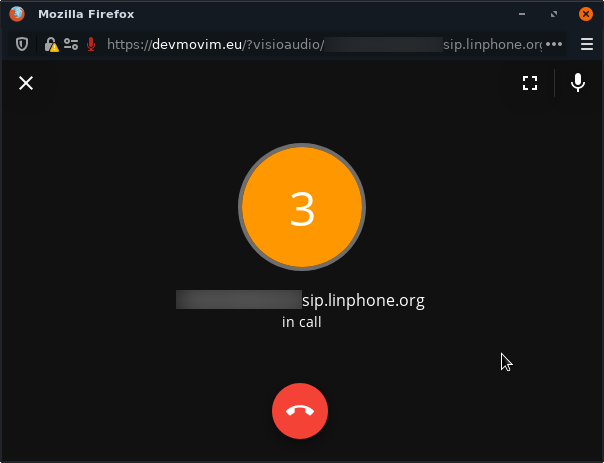
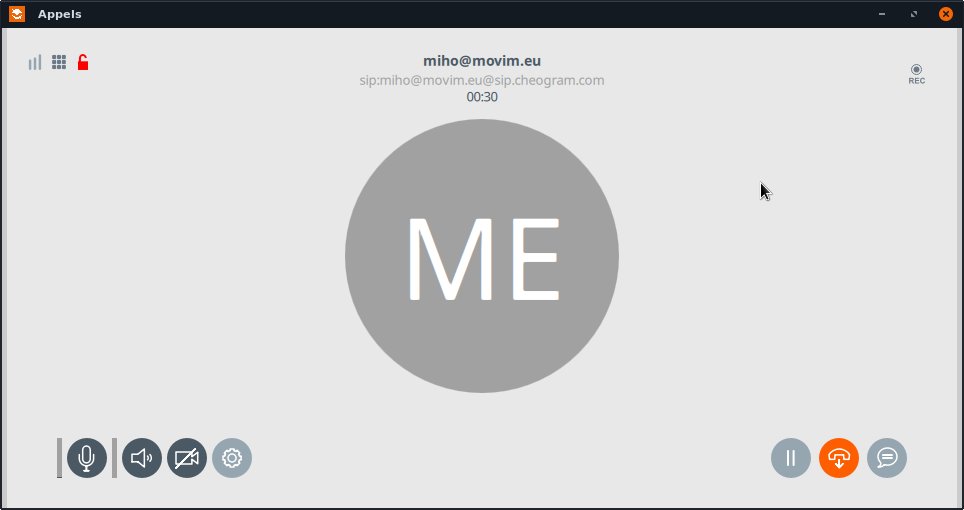
    Thanks to the awesome work of Singpolyma there is now a bridge between the #XMPP and the #SIP networks. Both standards are able to exchange information to setup audio calls.

    A few things were fixed in Movim to do so (mostly related to the format of the account identifiers used for the protocol bridge system) but now everything seems to work fine. You can find the tool at this address: git.singpolyma.net/cheogram-sip. It is still in heavy development but it progressing quite rapidly.

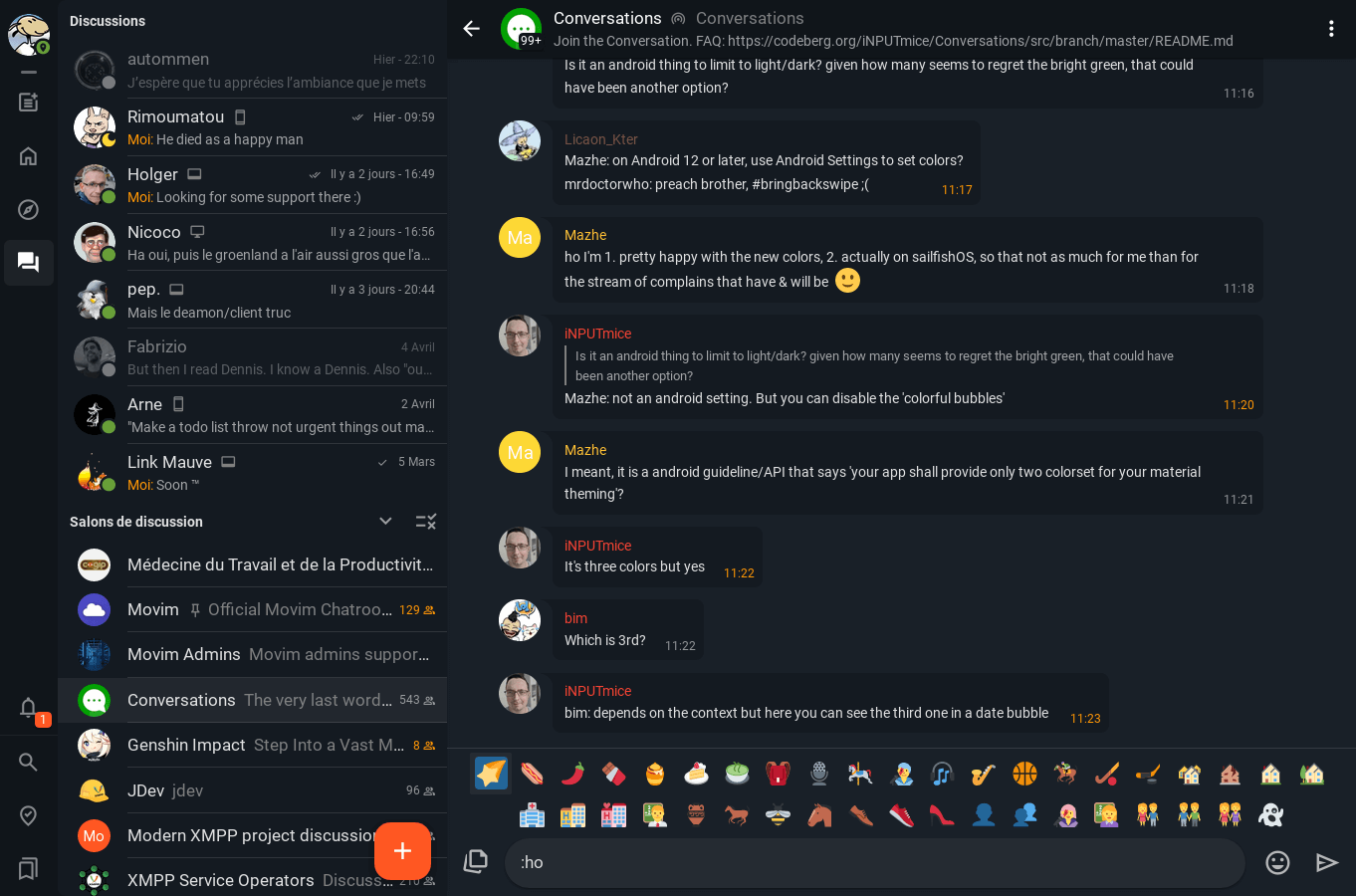
    Here is the same call from Movim and the #Linphone SIP client. Calls are also working with the Conversations client as well.

    More than a simple tech demo, this can bring quite a lot of useful possibilities. SIP is widely deployed especially in telephony. Calling a remote IP phone directly from your XMPP account could be really convenient.

    Using a simple movim.eu account nowadays you can already connect to several other networks, such as IRC or Telegram and group everything in one UI. Having SIP on top really brings the whole experience to another level.

    Have fun with Movim and movim.eu and don't forget to support the project by sharing links around!

    • chevron_right

      WebSocket connections on movim.eu

      edhelas • pubsub.movim.eu / Movim • 3 August 2020 edit

    The movim.eu #XMPP server now supports connections through #WebSockets.

    This means that if you're using a #web client like conversejs, you'll be able to connect directly using your movim.eu account.

    If you are a #Movim user. Nothing changes as Movim is using standard good ol' TCP/TLS connections to login 😉

    The clients that wants to connect to movim.eu using WebSockets will normally automatically discovers the endpoint (using the related XEPs). If not, it is available manualy at wss://movim.eu/xmpp.

    That's all folks!

    • chevron_right

      WebSocket connections on movim.eu

      edhelas • pubsub.movim.eu / Movim • 3 August 2020 edit

    The movim.eu #XMPP server now supports connections through #WebSockets.

    This means that if you're using a #web client like conversejs, you'll be able to connect directly using your movim.eu account.

    If you are a #Movim user. Nothing changes as Movim is using standard good ol' TCP/TLS connections to login 😉

    The clients that wants to connect to movim.eu using WebSockets will normally automatically discovers the endpoint (using the related XEPs). If not, it is available manualy at wss://movim.eu/xmpp.

    That's all folks!

    • chevron_right

      WebSocket connections on movim.eu

      edhelas • pubsub.movim.eu / Movim • 3 August 2020 edit

    The movim.eu #XMPP server now supports connections through #WebSockets.

    This means that if you're using a #web client like conversejs, you'll be able to connect directly using your movim.eu account.

    If you are a #Movim user. Nothing changes as Movim is using standard good ol' TCP/TLS connections to login 😉

    The clients that wants to connect to movim.eu using WebSockets will normally automatically discovers the endpoint (using the related XEPs). If not, it is available manualy at wss://movim.eu/xmpp.

    That's all folks!

    • chevron_right

      1K glowing star for Movim on Github ! party popper

      edhelas • pubsub.movim.eu / Movim • 24 May 2020 edit • 1 minute

    Thanks for your support!

    The 0.18 release is coming soon. I'm doing a few more optimisations and adding some last features for the 0.18 (such as the "last seen" feature, drawing on images before uploading them, UI improvements…) along the other exciting ones (video-conferencing, screen sharing, big performances improvement, Unicode 12.0 emojis support…).

    The 0.18 chat page

    I'm working on Movim for more than 11 years now. In a few days we will reach 8K commits on the main repository.

    And after all those years of work, on my free time, my goal hasn't changed: deliver a simple, good looking, light and accessible communication platform for everyone.

    Movim has been and will always be a Free Software and I'm doing my best to keep the code light, optimized and simple to allow it to run on a maximum of devices, even low end ones.

    If you want to support the project, you can always help us by giving a bit on the Patreon page. This money is for the moment just covering the server and domains expenses. A bit more could allow me to fund some nice stuff such as new stickers pack (like the 3 other ones that are now in the project) or real stickers and goodies… or cover my travel expenses to do conferences and presentations around Europe (not in the upcoming months unfortunately, you know why…).

    Have fun with Movim !

    edhelas

    • Pictures 3 image

    • visibility
    • visibility
    • visibility
    • chevron_right

      1K glowing star for Movim on Github ! party popper

      edhelas • pubsub.movim.eu / Movim • 24 May 2020 edit • 1 minute

    Thanks for your support!

    The 0.18 release is coming soon. I'm doing a few more optimisations and adding some last features for the 0.18 (such as the "last seen" feature, drawing on images before uploading them, UI improvements…) along the other exciting ones (video-conferencing, screen sharing, big performances improvement, Unicode 12.0 emojis support…).

    The 0.18 chat page

    I'm working on Movim for more than 11 years now. In a few days we will reach 8K commits on the main repository.

    And after all those years of work, on my free time, my goal hasn't changed: deliver a simple, good looking, light and accessible communication platform for everyone.

    Movim has been and will always be a Free Software and I'm doing my best to keep the code light, optimized and simple to allow it to run on a maximum of devices, even low end ones.

    If you want to support the project, you can always help us by giving a bit on the Patreon page. This money is for the moment just covering the server and domains expenses. A bit more could allow me to fund some nice stuff such as new stickers pack (like the 3 other ones that are now in the project) or real stickers and goodies… or cover my travel expenses to do conferences and presentations around Europe (not in the upcoming months unfortunately, you know why…).

    Have fun with Movim !

    edhelas

    • Pictures 3 image

    • visibility
    • visibility
    • visibility
    • chevron_right

      1K glowing star for Movim on Github ! party popper

      edhelas • pubsub.movim.eu / Movim • 24 May 2020 edit • 1 minute

    Thanks for your support!

    The 0.18 release is coming soon. I'm doing a few more optimisations and adding some last features for the 0.18 (such as the "last seen" feature, drawing on images before uploading them, UI improvements…) along the other exciting ones (video-conferencing, screen sharing, big performances improvement, Unicode 12.0 emojis support…).

    The 0.18 chat page

    I'm working on Movim for more than 11 years now. In a few days we will reach 8K commits on the main repository.

    And after all those years of work, on my free time, my goal hasn't changed: deliver a simple, good looking, light and accessible communication platform for everyone.

    Movim has been and will always be a Free Software and I'm doing my best to keep the code light, optimized and simple to allow it to run on a maximum of devices, even low end ones.

    If you want to support the project, you can always help us by giving a bit on the Patreon page. This money is for the moment just covering the server and domains expenses. A bit more could allow me to fund some nice stuff such as new stickers pack (like the 3 other ones that are now in the project) or real stickers and goodies… or cover my travel expenses to do conferences and presentations around Europe (not in the upcoming months unfortunately, you know why…).

    Have fun with Movim !

    edhelas

    • Pictures 3 image

    • visibility
    • visibility
    • visibility
    • chevron_right

      Chat picture resolver and Telegram stickers

      edhelas • pubsub.movim.eu / Movim • 15 May 2020 edit • 3 minutes

    Movim 0.18 is planned to be released soon.

    In the meantime, let's have a look at one specific feature that is really useful when you integrate Movim with the Spectrum2 - Telegram bridge.

    For those that are not aware, XMPP can connect to other chat networks using tools called "transport". One of the most used is called Spectrum2 and can connect to many other networks thanks to its libpurple support.

    Telegram transport setup

    What will we do here is:

    • Setup telegram-purple in Spectrum2 on Debian
    • Connect it to a XMPP server (here ejabberd)
    • Adapt the transport to integrate with Movim

    Setup Spectrum2 and telegram-purple

    Here I will not detail the basic installation, the official Spectrum2 documentation is pretty complete.

    Once the repository is setup, please install the base package and the libpurple module:

    apt install spectrum2 spectrum2-backend-libpurple
    

    For telegram-purple the README is also quite complete

    Create a Telegram transport

    Once all the packages are setup, we will create a transport configuration file. You can reuse the spectrum.cfg.example located in the /etc/spectrum2/transports/ as a base.

    # nano /etc/spectrum2/transports/spectrum_telegram.cfg
    

    This is basically the config file that I used for my own telegram.movim.eu transport:

    [service]
    server_mode = 0
    user=spectrum
    
    jid = telegram.movim.eu
    password = spectrumpassword
    server = 127.0.0.1
    port = 5347
    backend_host = 127.0.0.1
    
    users_per_backend=10
    
    backend=/usr/bin/spectrum2_libpurple_backend
    protocol=prpl-telegram
    
    web_directory=/home/movim/upload/spectrum
    web_url=https://upload.movim.eu/spectrum
    
    [identity]
    name=Telegram Transport
    type=telegram
    
    [logging]
    config = /etc/spectrum2/logging.cfg
    backend_config = /etc/spectrum2/backend-logging.cfg
    
    [database]
    type = sqlite3
    
    [registration]
    enable_public_registration=1
    

    When Spectrum2 will connect to the Telegram network, the stickers will be downloaded as files on the server. By default an ugly path is simply sent to the XMPP clients. We will turn it to a proper URL and let Movim to its magic.

    To do that we need to configure the Web Storage module. You can also find more documentation about it there.

    web_directory=/home/movim/upload/spectrum
    web_url=https://upload.movim.eu/spectrum
    

    It's pretty self explanatory. The downloaded stickers will be put in the web_directory directory. The second parameter, web_url, is basically telling Spectrum2 how to general its URL before sending them in the messages.

    Configure ejabberd

    Then we need to add a new service in our ejabberd.yml configuration file.

      -
        port: 5347
        module: ejabberd_service
        access: all
        ip: "127.0.0.1"
        global_routes: false
        hosts:
          "telegram.movim.eu":
            password: "spectrumpassword"
    

    Once everything is setup, restart Spectrum2 and ejabberd. For Spectrum2 you can do it using spectrum2_manager or a dedicated systemd configuration file.

    Configure our web server

    We then need to expose those files to the web. A simple nginx configuration will handle it.

    server {
        server_name upload.movim.eu;
    
        listen 443 ssl http2;
        listen [::]:443 ssl http2;
    
        …
    
        root /home/movim/upload;
    
        location /spectrum {
            alias /home/movim/movim/spectrum;
        }
    }
    

    Fix the nasty file rights with Incron

    If you start to use your Telegram transport at this point you'll notice that the stickers URLs are returning a 403 Forbidden error.

    Indeed, Spectrum2 is writting the files in the directory using it's own rights. And this can't be configured.

    We will then use another useful tool called Incron. This tool works like CRON but instead of working on time events, it works on file events.

    You can find a pretty complete documentation there.

    apt install incron 
    nano /etc/incron.allow # add your spectrum user there
    sudo -su spectrum
    incrontab -e
    

    In the incrontab file well then change dynamicaly the rights of the files once they are wrote in the directory (check the documentation for more details).

    /home/movim/upload/spectrum   IN_CLOSE_WRITE          chmod 664 $@/$#
    

    Enjoy your nice Telegram stickers in Movim

    In Movim, nothing more to do. With the version 0.18, Movim will try to resolve the incoming messages that contains a URL and see if it's a valid picture. Which is the case for Telegram stickers.

    Telegram stickers displayed in the Movim chat

    You can also note that it works for any other incoming picture URL, including those sent using Conversations or other XMPP clients.

    That's all folks!

    #telegram #xmpp #movim #transport #stickers #ejabberd #admin

    • chevron_right

      Chat picture resolver and Telegram stickers

      edhelas • pubsub.movim.eu / Movim • 15 May 2020 edit • 3 minutes

    Movim 0.18 is planned to be released soon.

    In the meantime, let's have a look at one specific feature that is really useful when you integrate Movim with the Spectrum2 - Telegram bridge.

    For those that are not aware, XMPP can connect to other chat networks using tools called "transport". One of the most used is called Spectrum2 and can connect to many other networks thanks to its libpurple support.

    Telegram transport setup

    What will we do here is:

    • Setup telegram-purple in Spectrum2 on Debian
    • Connect it to a XMPP server (here ejabberd)
    • Adapt the transport to integrate with Movim

    Setup Spectrum2 and telegram-purple

    Here I will not detail the basic installation, the official Spectrum2 documentation is pretty complete.

    Once the repository is setup, please install the base package and the libpurple module:

    apt install spectrum2 spectrum2-backend-libpurple
    

    For telegram-purple the README is also quite complete

    Create a Telegram transport

    Once all the packages are setup, we will create a transport configuration file. You can reuse the spectrum.cfg.example located in the /etc/spectrum2/transports/ as a base.

    # nano /etc/spectrum2/transports/spectrum_telegram.cfg
    

    This is basically the config file that I used for my own telegram.movim.eu transport:

    [service]
    server_mode = 0
    user=spectrum
    
    jid = telegram.movim.eu
    password = spectrumpassword
    server = 127.0.0.1
    port = 5347
    backend_host = 127.0.0.1
    
    users_per_backend=10
    
    backend=/usr/bin/spectrum2_libpurple_backend
    protocol=prpl-telegram
    
    web_directory=/home/movim/upload/spectrum
    web_url=https://upload.movim.eu/spectrum
    
    [identity]
    name=Telegram Transport
    type=telegram
    
    [logging]
    config = /etc/spectrum2/logging.cfg
    backend_config = /etc/spectrum2/backend-logging.cfg
    
    [database]
    type = sqlite3
    
    [registration]
    enable_public_registration=1
    

    When Spectrum2 will connect to the Telegram network, the stickers will be downloaded as files on the server. By default an ugly path is simply sent to the XMPP clients. We will turn it to a proper URL and let Movim to its magic.

    To do that we need to configure the Web Storage module. You can also find more documentation about it there.

    web_directory=/home/movim/upload/spectrum
    web_url=https://upload.movim.eu/spectrum
    

    It's pretty self explanatory. The downloaded stickers will be put in the web_directory directory. The second parameter, web_url, is basically telling Spectrum2 how to general its URL before sending them in the messages.

    Configure ejabberd

    Then we need to add a new service in our ejabberd.yml configuration file.

      -
        port: 5347
        module: ejabberd_service
        access: all
        ip: "127.0.0.1"
        global_routes: false
        hosts:
          "telegram.movim.eu":
            password: "spectrumpassword"
    

    Once everything is setup, restart Spectrum2 and ejabberd. For Spectrum2 you can do it using spectrum2_manager or a dedicated systemd configuration file.

    Configure our web server

    We then need to expose those files to the web. A simple nginx configuration will handle it.

    server {
        server_name upload.movim.eu;
    
        listen 443 ssl http2;
        listen [::]:443 ssl http2;
    
        …
    
        root /home/movim/upload;
    
        location /spectrum {
            alias /home/movim/movim/spectrum;
        }
    }
    

    Fix the nasty file rights with Incron

    If you start to use your Telegram transport at this point you'll notice that the stickers URLs are returning a 403 Forbidden error.

    Indeed, Spectrum2 is writting the files in the directory using it's own rights. And this can't be configured.

    We will then use another useful tool called Incron. This tool works like CRON but instead of working on time events, it works on file events.

    You can find a pretty complete documentation there.

    apt install incron 
    nano /etc/incron.allow # add your spectrum user there
    sudo -su spectrum
    incrontab -e
    

    In the incrontab file well then change dynamicaly the rights of the files once they are wrote in the directory (check the documentation for more details).

    /home/movim/upload/spectrum   IN_CLOSE_WRITE          chmod 664 $@/$#
    

    Enjoy your nice Telegram stickers in Movim

    In Movim, nothing more to do. With the version 0.18, Movim will try to resolve the incoming messages that contains a URL and see if it's a valid picture. Which is the case for Telegram stickers.

    Telegram stickers displayed in the Movim chat

    You can also note that it works for any other incoming picture URL, including those sent using Conversations or other XMPP clients.

    That's all folks!

    #telegram #xmpp #movim #transport #stickers #ejabberd #admin